Ogni giorno offriamo programmi GRATUITI che altrimenti dovresti comprare!
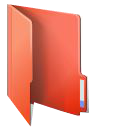
Giveaway of the day — FolderIco 6.2.1
FolderIco 6.2.1 era disponibile come app gratuita il 07 marzo 2019!

FolderIco permette di personalizza l'icona della cartella Windows con un semplice click! Non sai come modificare la cartella gialla standard con una colorata e luminosa? Con FolderIco, dona un po' di colori alle cartelle Windows. Con un semplice click, colora le tue cartelle, e scopri un modo nuovo e intuitivo per classificare i tuoi file. Un rapido sguardo è adesso sufficiente per identificare la cartella che stai cercando!
FolderIco è un programma molto leggero, che non resta in memoria. Utilizza una funzionalità nativa di Windows per essere più efficiente. Scopri la sua semplicità: con un click singolo del tasto destro su una cartella puoi modificare l'icona!
Nota bene: Puoi acquistare una licenza personale (con supporto e aggiornamenti) con 50% di sconto!
The current text is the result of machine translation. You can help us improve it.
Requisiti di Sistema:
Windows Vista/ 7/ 8/ 8.1/ 10; 1000 MHz processor; 128 MB RAM
Produttore:
TeoreXHomepage:
http://www.folderico.com/Dimensione File:
13.5 MB
Prezzo:
$19.99
Programmi correlati

Rimuovi oggi indesiderati dalle immagini fisse, come loghi, watermark, linee elettrice, persone, testo o qualsiasi altro oggetto indesiderato. Non c'è più bisogno di andare in confusione manualmente con il tuo vecchio tool di clonazione! Acquista una licenza personale con 50% di sconto.
Il tool di rimozione dello sfondo di PhotoScissors è in grado di estrarre oggetti in maniera facile e rimuovere lo sfondo dalle foto. Tutto quello che devi fare è disegnare il primo piano e lo sfondo e l'algoritmo si occupa dei dettagli. Acquista una licenza personale con 50% di sconto.

PhotoStitcher combinerà automaticamente le foto in sovrapposizione per produrre un'immagine panoramica perfetta. Devi solo scattare alcune immagini in sovrapposizione e cliccare il pulsante Stitch. PhotoStitcher è un programma completamente automatico per cucire le immagini. Acquista una licenza personale con 50% di sconto.
iResizer ridimensiona una immagine senza modificare il contenuto visivo importante come le persone, gli edifici, gli animali, ecc. iResizer ti permette di rimpicciolire oppure allargare le immagini per migliorare una composizione, adattare un layout, oppure modificare l'orientamento. Acquista una licenza personale con 50% di sconto.

GIVEAWAY download basket



App gratis per iPhone »





App gratis per Android »





Commenti su FolderIco 6.2.1
Please add a comment explaining the reason behind your vote.
Hi, last time FolderIco was offered here on GOTD was in June 1, 2018. That was version 5.1. So what has changed since then, in case that's the version you installed and use? We can find it on TheoreX webpage here:
'Changelog
What's new in FolderIco 6.2
Improved network folder changes
What's new in FolderIco 6.1
Minor improvements
What's new in FolderIco 6.0
Added support of changing multiple folders icons
Added feature to reset folder icons from main dialog
Added feature to change folders & subfolders icons
Added command line support
Improved usability and stability'
I still enjoy FolderIco and it's ease to use and 'decorate' these Folder icons with colours and signs with right-click of a mouse, on desktop and throughout my computer. They do stand out from the rest and make searching and looking into these Folders so much easier! Thanks for offering it again.
Save | Cancel
There is a built in feature that can be used to change folder icons for Windows 10, which also allows for the use of custom made icons; even icons made by yourself. I am wondering if this little app will make that an easier process, so I will download it and give it a try. Will let you all know what I learn.
Save | Cancel
OK, I downloaded the program and installed it. I have to say that the Activate.exe worked perfectly after the installation was completed.
Now to the performance of the program:
I can use images that I created as the icon for a particular program, but it puts the chosen image in the fold of the folder icon and it won't allow further customization of the folder icon, like changing the color of the folder if you use that feature (Add Overlay). What I am wanting to do is make the image I create the entire icon. This may be possible already in this program, but I will need to explore further to find out.
Some instructions on the use of different features in the program would be helpful, so I will check the site to see if there are any.
The above said, I still think this will be a keeper. I like how easy it is to do what it offers. Of course more experimenting with it will likely reveal hidden gems of usefulness.
Thanks Teorex and GTOTD!
Save | Cancel
A simple, clean little program that does one thing but does it well. Worth the download. Thanks TeoreX & GotD.
Save | Cancel
Very-very-very and really usefull. And even better because folder icons are transfered when you transfer folders between pc's . Thank you.
Save | Cancel