Ogni giorno offriamo programmi GRATUITI che altrimenti dovresti comprare!
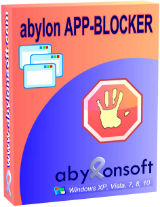
Giveaway of the day — Abylon App-Blocker Private 2020
Abylon App-Blocker Private 2020 era disponibile come app gratuita il 24 marzo 2020!

Molti processi e servizi vengono avviati automaticamente durante l'accesso a Windows. Questi programmi sono parzialmente invisibile per l'utente per eseguire attività quali il monitoraggio, la macchina e l'utente, verifica la disponibilità di aggiornamenti, o l'esecuzione di task periodici.
Il software abylon APP-BLOCCANTE gruppi di voci in categorie, come ad esempio l'avvio automatico del Registro di sistema, AntiSpy, i programmi, i servizi e i driver. Qui si possono disattivare permanentemente o rimuoverli completamente. Informazioni sui singoli processi viene visualizzato nel blocco info e online sulla homepage.
The current text is the result of machine translation. You can help us improve it.
Requisiti di Sistema:
Windows XP/ Vista/ 7/ 8/ 8.1/ 10 (x32/x64)
Produttore:
AbylonsoftHomepage:
https://www.abylonsoft.com/app-blocker/Dimensione File:
47.6 MB
Prezzo:
$24.50
Programmi correlati

Elimina immagine EXIF informazioni da una o più immagini o file grafici in un colpo solo.
Ottenere un comfort e una sicurezza costante quando si chiamano i programmi individuali di controllo account utente.
GIVEAWAY download basket




App gratis per iPhone »





App gratis per Android »





Commenti su Abylon App-Blocker Private 2020
Please add a comment explaining the reason behind your vote.
This software can ruin a PC and require a complete reinstall of the operating system. A better way to stop these services is to simply type Services in the Search box and go through the listing of running services on Windows 10 with a Search Engine and a notepad. That way one can change back the value if it causes trouble. There is no way to do that with this software as it does not offer to backup the system.
Save | Cancel
Hi Jerry, it is of course correct that services can be manually disabled, for example. But Windows partially resets them. Also not all services can be deactivated this way. So a permanent change is only possible for certain services.
Furthermore, our software offers even more options, such as AntiSpy.
With our software the services can also be reactivated. In addition, our software remembers the status and resets it after uninstalling.
Of course a system restore point should be created in advance. Starting with the next version this should be taken over by the software.
Finally I would like to point out again that changes should ONLY be made if you are familiar with the subject. It is not designed for laymen!
Save | Cancel
"A better way to stop these services is to simply type Services in the Search box "
Win10 Settings -> Apps -> Startup. Control Panel -> Administrative Tools -> Services. Control Panel ->Administrative Tools -> Task Scheduler. Win10 Task Mgr. Startup & Services tabs or panels [right click individual entries]. Win7 Start Menu -> Run or Win10 right click Start Button -> Run, type msconfig & click OK.
"This software can ruin a PC and require a complete reinstall of the operating system."
Backup 1st -- something you should be doing anyway -- setting a restore point may work, and there's always Safe Mode. That said, the most likely way to damage Windows is to stop drivers &/or driver-related apps/services. Not all drivers for services are listed in Admin Tools -> Services BTW. Software can add unneeded drivers, and since they start with Windows, they're a favorite malware target.
Save | Cancel
"... you don't need a third party app to do what is already included in Windows."
Actually Windows doesn't provide a way to remove or stop drivers. Uninstalling drivers is left to the developers who wrote the software and it's install/uninstall routines, which show up in Settings -> Apps &/or Control Panel -> Programs. In some cases however, if the driver shows up in Device Mgr. you can right click -> uninstall the corresponding device.
Save | Cancel
Jerry, is correct, you don't need a third party app to do what is already included in Windows.
Save | Cancel