Ogni giorno offriamo programmi GRATUITI che altrimenti dovresti comprare!
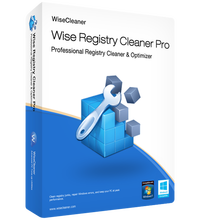
Giveaway of the day — Wise Registry Cleaner Pro 11.1.1
Wise Registry Cleaner Pro 11.1.1 era disponibile come app gratuita il 29 settembre 2023!

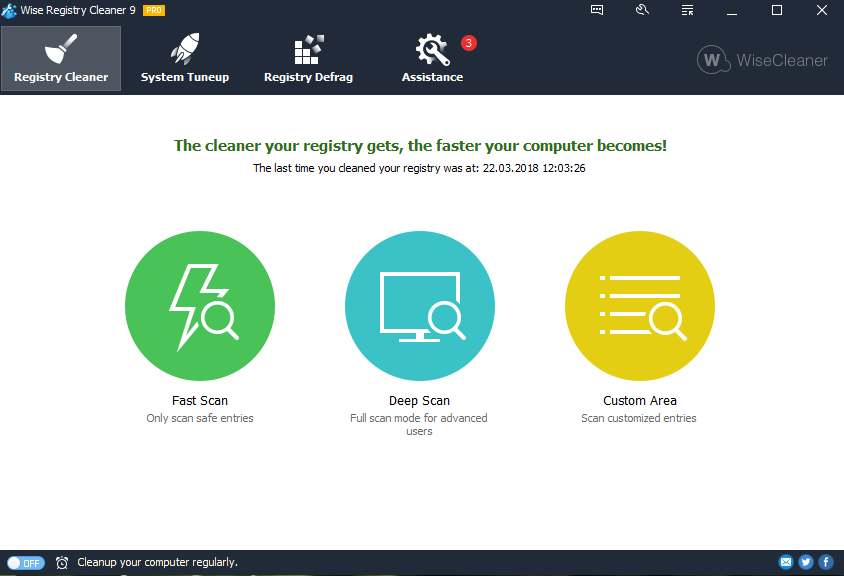
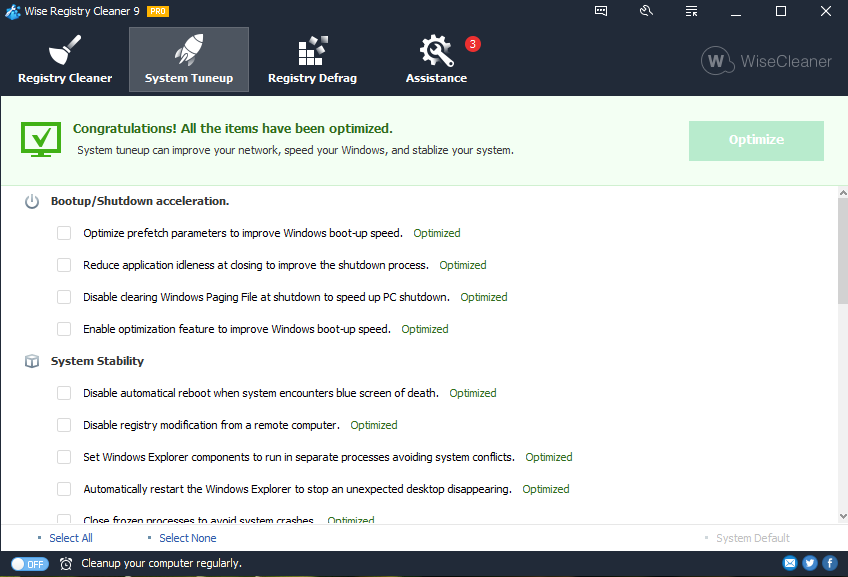
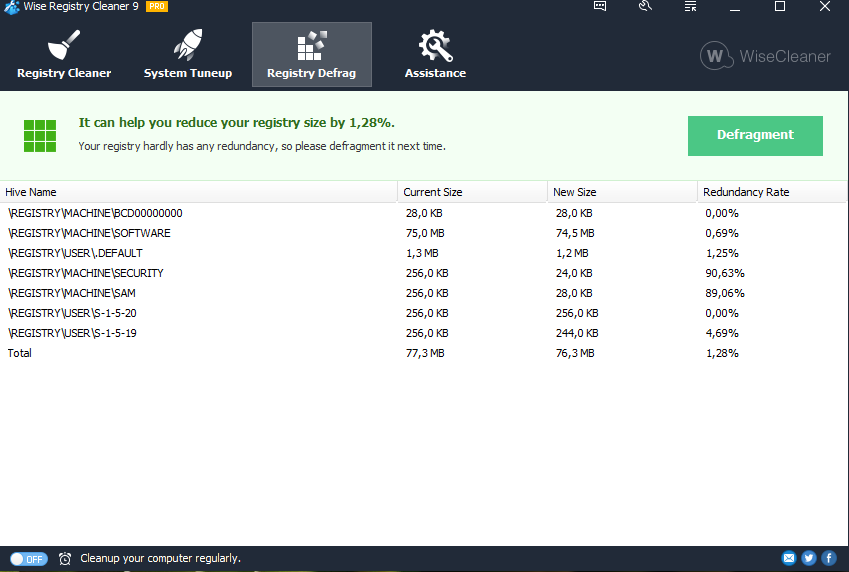
Wise Registry Cleaner is one of the safest registry cleaning tools available in the market today. Its scanning engine is thorough, safe and fast.
It is so easy to use, even the least experienced user can easily repair registry with this tool. It scans the Windows registry and finds incorrect or obsolete information in the registry. By fixing the obsolete information in Windows registry, your system will can work better and more quickly, after Wise Registry Cleaner analyzes your system for problems, you can individually view each of the problems found and call up a detailed description. If you wish, you can also have all problems corrected automatically, all changes to your system are monitored by Wise Registry Cleaner and can be undone with a few mouse clicks, so you can use Wise Registry Cleaner feel relieved.
The current text is the result of machine translation. You can help us improve it.
Requisiti di Sistema:
Windows 2003/ 2008/ XP/ Vista/ 7/ 8/ 10 (x32/x64); CPU: Pentium 233 MHz or above; RAM: 128 MB or above; Disk Space: the minimum of the space for installing Wise Registry Cleaner is 10 MB
Produttore:
WiseCleaner.comHomepage:
https://www.wisecleaner.com/wise-registry-cleaner.htmlDimensione File:
9.1 MB
Licence details:
Lifetime, no updates
Prezzo:
$35.94
Programmi correlati

Proteggiti contro tutti i tipi di Malware e minacce per mantenere il tuo PC in sicurezza.

Un tool di gestione dei file duplicati, in grado di aiutarti a trovare e cancellare file duplicati facendo un confronto tra nomi, dimensioni oppure contenuti e liberare maggiore spazio sui tuoi hard disk.
GIVEAWAY download basket




App gratis per iPhone »





App gratis per Android »





Commenti su Wise Registry Cleaner Pro 11.1.1
Please add a comment explaining the reason behind your vote.
The Wise Registry Cleaner folder does not have to be on the PC. Wise Registry Cleaner also works from a Memory-stick.
Save | Cancel
The GOTD version of Wise Registry Cleaner Pro will run semi-portably, as posted by Maria Guzman, but the regular, paid version may or may not -- the special version for GOTD does not require, *or look to see if it's activated*, while the regular version *might* store the key and a machine ID in Windows. Using a dual boot VM, I monitored the installation of the GOTD, Wise Registry Cleaner Pro, then booted into Win10 and monitored what happened when I ran Wise Registry Cleaner Pro from the Win11 drive without installing it. Installing the app added the program's folder plus a folder in Users\ [UserName]\ AppData\ Roaming\, adding one key to the registry for uninstall, and one for the app itself. Running the app without installation also added the user folder & files, along with the app's registry key -- those changes are why I call it semi-portable.
Note that while the software allows, and encourages you to make a backup of the registry before any changes are made, you can only restore that backup by running Wise Registry Cleaner Pro -- if Windows won't start you're out of luck, so it's safest to create a disk/partition image backup you know you can restore beforehand. Creating a Restore Point can also work, but it's not as reliable as an image backup.
Registry cleaners work by looking for and removing entries with broken links, including things like files that don't exist at the location listed and other registry keys that don't exist. They also might include tweaks that are known to help -- the 2nd tab in Wise Registry Cleaner Pro is devoted to that. Mileage varies using registry cleaners, with some people reporting large improvements and even fixes, while others have reported it broke software & even sometimes Windows. Some software has been around, and updated for years, which usually means that there's an awful lot of old code that's still in use. There can be references to specific registry entries somewhere in that old code, even though those entries are no longer used or have any purpose. If a registry cleaner removes them, that software could break. Registry cleaners are also not as efficient as manual editing in terms of total garbage removed, though manual editing can be Extremely Tedious. The registry for example contains Very Many keys with several sub-keys and entries, but that key's entire focus is a single file or another registry key. If that file or key doesn't exist, a registry cleaner will only remove that one line, while a manual edit would delete the entire key. The registry is a large database read into system memory that's constantly being read & written to -- if it grows too large that can effect performance. However you have to remove a huge number of entries to reduce the registry's size by a noticeable amount. Microsoft generally doesn't say anything for or against registry cleaners, focusing instead on reinstalling Windows if/when there's a problem, which today remains the most sure-fire cure for problems [at least those that are not design related]. And as a bonus it also tends to shrink the registry
Save | Cancel
Hello!, GIVEAWAY of the day!
Everyday!, The FREE Licensed Software, Game, or Application of System and Device that you offer just gets activated during the download or do we have to activate them separately after the download completes?
Thankyou!
Save | Cancel
Ayush Sharma,
It depends on the software vendor. Some come pre-activated and some require a process by the user. Always read the readme file for specific instructions.
Save | Cancel