Ogni giorno offriamo programmi GRATUITI che altrimenti dovresti comprare!
Screen Beagle Pro 1.72 era disponibile come app gratuita il 22 marzo 2018!


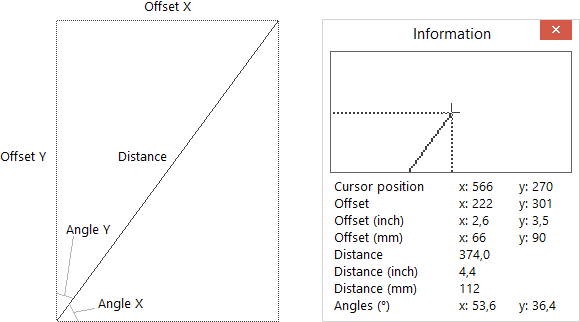
Greatis Screen Beagle è un Sistema di Utility per lo Schermo insolitamente raffinato e avanzato, che contiene quattro sotto-utility integrate e potenti:
- Lente d'Ingrandimento
- Screenshot
- Misuratore
- Dropper
Una finestra sofisticata per visualizzare lo schermo, che può essere dimensionata da 50 a 300 pixel, e che può zoomare da x2 a x10.
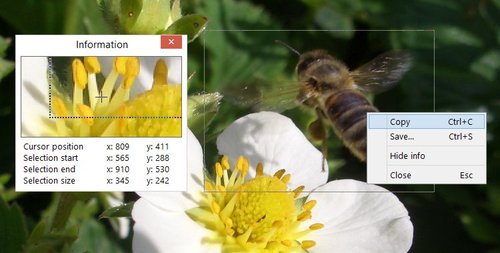
Una utility per gli screenshot avanzata in grado di copiare sia lo schermo sia una parte selezionata dello schermo o sugli appunti oppure su un file BMP, GIF, PNG o JPG.
Questa utility unica è in grado di misurare le distanze e gli angoli tra due punti qualsiasi sullo schermo.
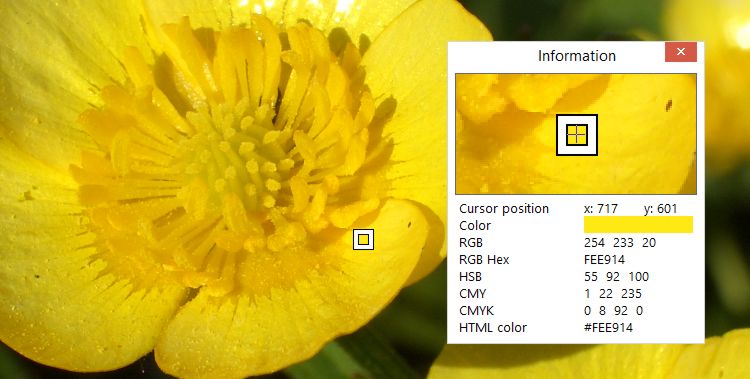
Questa utility utilissima è in grado di acquisire il colore di qualsiasi pixel sullo schermo, trasformarlo in formati di testo (RGB, REG Hex, e HTML), e visualizzare queste rappresentazioni di testo oppure copiarli sugli appunti.
Ognuna di queste utility può essere attività con un click del mouse sull'icona del vassoio, per mezzo di una hot key personalizzabile oppure un menu popup dell'icona del vassoio. Dopo l'attivazione, i contenuti dello schermo vengono congelati per semplificare l'analisi degli stati di breve durata.
Screen Beagle si riduce ad icone di vassoio singolo, che può essere richiamato con il tasto destro del mouse per attivare una qualsiasi di queste utility. In caso di lavoro intenso sullo schermo, Screen Beagle è in grado di separare le icone per una o tutte le utility - permettendo un accesso rapido con un singolo click.
The current text is the result of machine translation. You can help us improve it.
Requisiti di Sistema:
Windows XP/ Vista/ 7/ 8/ 8.1/ 10
Produttore:
Greatis SoftwareHomepage:
http://greatisprogramming.com/utilities/screenbeagle/Dimensione File:
518 КВ
Prezzo:
$19.00
Programmi correlati
BootRacer è un tool leggero, facile da utilizzare e conveniente per monitorare il tempo di avvio di Windows PC e controllare i programmi di avvio. L'approccio principale di BootRacer è la capacità di escludere un tempo di attesa per la password utente dal totale calcolato. Acquista Premium
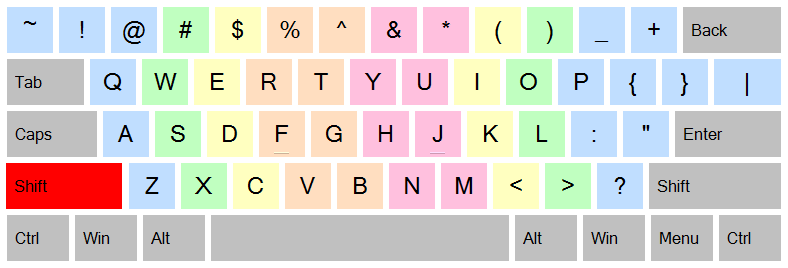
JustType - Assistente sullo Schermo per la digitazione per non-vedenti. Ti aiuterà a familiarizzare con la dattilografia senza nessun tutore. Digiterai, per imparare a digitare non come fai con i programmi tutor per la tastiera. JustType visualizza la tastiera sullo schermo, i tasti della quale in qualsiasi momento vengono visualizzati con gli stessi caratteri che appaiono nel testo, digitati quando premi il tasto della tua vera tastiera.
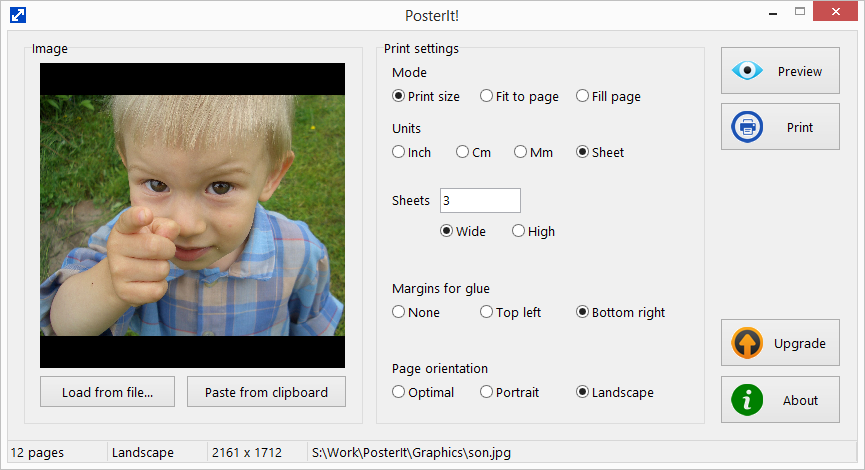
Stampa le tue foto e immagini su pagine multiple con PosterIt! PosterIt! è una utility per la stampa di immagini in grado di stampare foto, grafica, poster, schemi, tabelle, diagrammi, mappe e così via con una dimensione illimitata su qualsiasi stampante. Acquista PosterIt!
RegRun Suite è un programma completo per sicurezza del computer. RegRun Platinum comprende 24 utility di sistema per la protezione di un computer da componenti di Rootkit/Cavalli di Troia/Adware/Spyware, per incrementare la velocità del processo di avvio di Windows, per aiutare la gestione del computer.
UnHackMe eliminates various types of malicious software: Search redirecting; Popup ads; Potentially unwanted programs (PUP); Unwanted processes; Slow browsing; Rootkits; Trojans; Spyware; Keyloggers.
GIVEAWAY download basket


App gratis per iPhone »



App gratis per Android »





Commenti su Screen Beagle Pro 1.72
Please add a comment explaining the reason behind your vote.
I had all of these tools as freebies back in the day of Windows 95 so nothing unique or new here folks but as they no longer work on more recent versions I am pleased to have this thank you.
Save | Cancel
Mike, we still working on this program, but the version developed for 95 still works under all latest Windows releases (of course, we adapt it a little, rebuild and test for each new Windows)... "Did not break - do not repair," my grandma said. :)
Save | Cancel
Not quite sure yet what the difference between the pro version and the free version. One problem that showed itself, is that when you click to open the tray and start the program, the tray remains open thus creating a situation that a part of the screen is covered by the tray and if the section under the tray is the section you wish to save is covered it cannot be copied.
Save | Cancel
THANK YOU!!! I had been looking for a really easy screen capture utility so I could save some things from my husband's facebook page for a scrapbook (he passed away a few months ago) and hadn't found anything that was really fast and EASY. Thank you for the perfect solution! It downloaded, installed, and I was up and running in just minutes. Very intuitive, didn't have any problems making it do exactly what I needed. Found I did have to remember to close the utility after making a screen capture, to unfreeze everything else, but no biggie as I'd be closing it anyway after a screen capture. Finally, another roadblock gone, and I really appreciate it, life is difficult enough!
Save | Cancel
Screen Beagle Pro was easy to install and easy to use. However, it does not appear to be able to handle multiple screens. It only works on the screen identified as the primary. All functions that I tried, Capture, Magnify, and Measure only work on the primary screen. When trying to use on the secondary screen it still only "sees" the primary. It would be great to see multiple screens incorporated into this very useful tool.
Save | Cancel