Ogni giorno offriamo programmi GRATUITI che altrimenti dovresti comprare!
Giveaway of the day — Paragon Virtualization Manager 14 Compact (English)
Paragon Virtualization Manager 14 Compact (English) era disponibile come app gratuita il 13 marzo 2014!
Still need to run Windows XP as a virtual machine? Paragon's Virtualization Manager is the solution. Microsoft discontinues Windows XP support by the 8th of April, which exposes your XP system to serious security threats. Use Paragon Virtualization Manager 14 Compact to save your Windows XP and run it as a virtual machine inside a new Windows 8.
Key Features:
- Use several operating systems on your PC;
- Create a virtual clone of your old PC before migrating to a new computer. Programs, files and user settings are transferred automatically with zero user downtime. Take advantage of an up-to-date powerful computer, while still having access to your favorite applications from your old PC;
- Even if you moved from PC to Mac, you can continue using your Windows as a virtual machine on a new Mac;
- Evaluate any third-party software without threats to your PC. Run all new programs in a virtual environment before installing them to the main OS.
Technical Support:
during the Giveaway period Paragon Software provides technical support at www.giveawayoftheday.com. Please, post your questions if you have any troubles while downloading, registering and using the software. Paragon Software’s support team will reply you as soon as possible.
The current text is the result of machine translation. You can help us improve it.
Requisiti di Sistema:
Windows 8.1, 8, 7, Vista, XP Professional, XP Home, Windows 2000 Professional SP4 (x32/x64); CPU: Intel Pentium or compatible, 300 MHz or higher processor; RAM: At least 256 MB (512 MB or greater recommended); Disk space: 250 MB (During the installation additional free space (up to 1GB) will be required)
Produttore:
Paragon SoftwareHomepage:
http://www.paragon-software.com/home/vm-compact/Dimensione File:
41.6 MB
Prezzo:
$29.95
Programmi correlati
Unique, all-in-one suite to completely protect, maintain and manage your PC!
- Every essential solution to manage today’s hard drives.
- Full range of backup, recovery and partitioning solutions.
- Fast migration to new HDDs, SSDs and virtual machines.
- Efficient disk maintenance and optimization.
- Full Windows 8/8.1 support!
Powerful Backup. Ultimate Recovery.
- Full range of backup and recovery solutions.
- Your system and valuable data are protected and can be restored in case of any disaster!
- Back up files and folders, operating system or even your entire hard disk to any storage you choose.
- Enhanced Backup Format.
- Full Windows 8.1 Support.
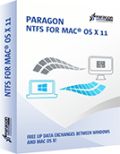
Using a Mac is a wonderful experience – until you try to use a NTFS-formatted drive, which includes most Windows hard drives! Because in order to create, delete or modify any files on Windows NTFS drives you need Paragon NTFS for Mac - after minutes you won’t remember there ever was a problem. Remove the barriers between NTFS and HFS with ease and confidence!
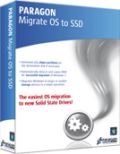
Ready to upgrade to a new Solid State Drive (SSD)? Paragon’s Migrate OS to SSD is just what you need. Our handy intuitive wizard performs fast and safe Windows migrations to new storage devices (HDD or SSD) and even downsizes to smaller capacity drives, thanks to advanced new data exclusion capabilities. You can transfer a live system with no impact to your work, and have your partitions automatically aligned in the process if needed.
Commenti su Paragon Virtualization Manager 14 Compact (English)
Please add a comment explaining the reason behind your vote.

Before asking questions everybody should have read above link
http://www.paragon-software.com/home/vm-compact/
It tells e.g.:
Support for Major Virtual Machines. Oracle Virtual Box 4; Microsoft Virtual PC; VMware Workstation; VMware Fusion.
Not mentioned that it produces VHD format the only Microsoft Virtual PC format.
My idea is running XP afterwards only offline i.e. without danger.
A lot of people like me don't want to throw away older machines not apt for Windows 7/8 and I want to use further on old scanners, printers etc. for which no Win7/8 drivers are available.
If you are looking for a very compact and fast Linux running on old machines too (with at least 0.5 GB of RAM) just for internet please try Precise Puppy Linux. It copies its boot disk to a ram disk and your CD/DVD drive isn't blocked after loading. It comes with Seamonkey (a Firefox variant) and a lot of other software. Precise Puppy retro comes with Seamonkey and Opera (apt for small machines) and a lot of additional drivers for older machines.
http://puppylinux.org/wikka/PrecisePuppy
http://en.wikipedia.org/wiki/List_of_Linux_distributions_that_run_from_RAM
Free converter:
There is free Disk2vhd v2.01 by Mark Russinovich and Bryce Cogswell dated January 21, 2014 from MS Sysinternals - you know autoruns etc.:
http://technet.microsoft.com/en-us/sysinternals/ee656415.aspx
But you should download and register Paragon Virtualization Manager 14 Compact anyhow as I'm doing. No risk, much fun! Registration information arrvied within one minute! I haven't been disappointed so far by any Paragon software.

Paragon's Virtualization software is unique -- you should grab it if you have any interest, or think you might have future interest in VMs. SysInternals at Microsoft has their Disk2vhd program -- it's usable but not nearly the same thing.
In a nutshell Paragon's Virtualization Manager clones a hard drive partition to a virtual hard drive [VHD], which is a single file that Windows sees as a real hard drive. Step 2, it removes Windows registry entries for the old core hardware drivers, the one's that let Windows talk to your hardware to start Windows. Step 3, the drivers for your VM host software are added, & you then add a special set of software to your new VM [Virtual Machine] tailored to the version of Windows [with the free VirtualBox they're called Additions], that allow you to do stuff like copy/paste text between the two.
There are 3 main VM Host apps, Oracle's VirtualBox, Microsoft's Virtual PC, & VMWare. VMWare *may* be the best, but it the most expensive. VirtualBox is free, it's what I run, but V/Box & VMWare require you to setup a folder or folders that are shared with the host copy of Windows that's running everything, & that's how you get files in/out of the VM. Microsoft's solution, free with win7 [it's the XP Mode VM that's restricted to certain versions], uses the remote features built into Windows, which means you can see & access all the files & folders you can normally see in Windows Explorer from inside the VM. The big catch is that you can only use certain versions of Windows, and the size of the VM's VHD is restricted. Of the 3 V/Box is the only one that has an unofficial portable solution in the form of a launcher, that adds the needed drivers to Windows, starts your VM, then uninstalls those drivers once you close V/Box.
Stuff to be aware of...
Microsoft has changed their licensing agreements for Windows regarding VMs, a few times, so check for the latest for the version(s) of Windows you want to turn into a VM. And yes, it will have to be re-activated, because as far as Windows knows you are using it on a new PC. Backup software doesn't like VHDs as well as regular files, at least major brands like Paragon & Acronis, so I back them up by copying the VHDs somewhere else. I also delete the VHDs on my system partition prior to performing a backup. A minimal Windows VM will have a VHD of about 15-20 GB -- that grows as you add software. I run 4 VMs off my system partition, restoring them by copy/pasting copies I store elsewhere on top of those files -- doing it that way, just copying VHDs rather than cloning etc., nothing changes so I don't have to always re-activate Windows. I also use Dynamically expanding VHDs that start out small & grow as stuff's added -- CloneVDI can help, a Lot, making them smaller by getting rid of free space that will accumulate https://forums.virtualbox.org/viewtopic.php?t=22422
V/Box can work with virtual hard drives in the Windows VHD format, or virtual disks formatted for VMWare or V/Box. Using the Windows VHD format gives you more options, since you can mount that VHD in Windows and work with it just like any other hard drive. To do the same sort of stuff with a V/Box .vdi file I have to either fire up the VM on that .vdi, or attach it to another V/Box VM -- in that 2nd case it's like adding a 2nd hard drive to your PC. As far as that sort of thing goes, you can do most stuff with a VM you can do with a regular PC, e.g. you can have a VM dual boot.
---
As far as migrating your installed copy of XP to a VM...
Here's what I've done & found... You need another OS obviously, & do most everything while running that other version of Windows. If you dual boot between say XP & win7/8, you can preserve your XP install until you're sure everything's working as planned, then remove it or keep it in place. If you're replacing XP you can get it ready, preparing it to become a VM, then made a disk/partition image backup & create your VM from that. Some of Paragon's virtualization software can work with their backups as source, while with others you'll have to restore that backup to a new VHD you create in win7/8, then delete once you've got your VM. I kept XP in place & bootable, so I restored a backup to a VHD so I could do stuff like get rid of the partition's free space without having to change the original or anything, but that's just one way to do it -- I could have as easily changed everything I wanted to & then restored a backup of XP for example.
Because I was working with a clone of my XP install that was not running I rename folders for stuff like AMD's Catalyst Control Center, which is software for my AMD graphics card that starts with Windows, & I try to disable at least temporarily anything that does start with Windows. You could as easily uninstall that sort of thing while running the original copy of XP. The point is that you do not want anything starting with Windows that might be avoided, *Especially* security software. That's because when you first start your VM there will be all sorts of drivers to install, then more to install once you add [what V/Box calls] the Additions. VMs are a bit slow when you're running the VM host software in Windows -- after all you still have to use your CPU & RAM etc. for the host copy of Windows, split off some of your CPU & RAM for the VM, and have that new software layer in between your VM & your actual hardware. When you're going through that flurry of activity as Windows adds all these new drivers in a slower VM you Do Not want anything else running that can slow things down. I wait until everything is running before I deal with any folders I renamed, removing &/or getting software working that starts with Windows -- if you worked with the original Windows partition rather than a clone in a VHD this part's easier since you could uninstall stuff running that copy of Windows rather than disabling things by renaming folders.
And if I download this today, what do I do with it?
You start the program, you start the P2V wizard, you choose your operating system disk (system C:) and you wait until finished. The produced .vdi disk (attention as big as your system, many Gigabytes!), you store on a safe external device.
When you changed to a new operating system, install a virtual disk manager (e.g. Oracle virtual box) and load in this program your saved .vdi file of your "old" system. Now you can work with your old system, as you have done it before for many years, but under your "new" operating system.
HTH
Karl
Please, one of our experts explain how to, or point us to a good link that will help us in this area.
Far away from being an expert, I'll try to explain it:
Think of a program. What you like, e.g. IrfanView. You start the program and a window opens. Instead of viewing a picture, you see an operating system. Maybe a copy of your running system. Inside the open window (in this case e.d. a OracleVirtalBox system), you can use your mouse exactly, as if you were on your real system. You can start programs, you can copy and delete files from your drive...
STOP!
Not on your real drives. You have an virtual file system, too. Everything what you do on this file system does not affect your real system. You play in a virtual world. And if you stop it, it will stay as a snapshot on your real system. If you start your virtual system 5 month later, it would be the same, as you have left it 5 month ago.
This means, you can use your virtual system like your real system. With a fast CPU and enough memory you even don't notice, that you aren't on your real, physical System C: disk.
Look for Oracle Virtual box, install it and play a little bit around. It needs some learning. If you are afraid to learn new things, don't touch it. But if you have understood the principles of virtualization, you want' miss it! For sure!
Good Lord! Not a single comment here explains anything about this product. How do we use this? How can I use this to preserve my current Win XP Pro SP3 everything as a virtual machine when I install Win 7 on my current machine? Many of us have never seen or used virtual anything - please help.
And if I download this today, what do I do with it?
App gratis per iPhone »




App gratis per Android »




This soft not working Paragon Virtualization Manager 14 Professional Crack.
Save | Cancel