Ogni giorno offriamo programmi GRATUITI che altrimenti dovresti comprare!
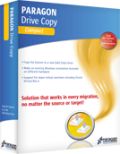
Giveaway of the day — Paragon Drive Copy 14 Compact (English Version)
Paragon Drive Copy 14 Compact (English Version) era disponibile come app gratuita il 10 gennaio 2014!

Paragon Disk Copy 14 è la soluzione più efficiente per la migrazione del computer da qualsiasi combinazione software-hardware a qualsiasi destinazione. Supporta numerose impostazioni, VM ecc.
Funzioni principali:
- Migrazione rapida a nuovi HDD, SSD, nuovi hardware e virtual machine;
- Numerose opzioni di migrazione (P2P, P2V, V2P e V2V);
- Supporta drive di oltre 2TB, SSD e AFD;
- Supporto uEFI completo;
- Copia/Ripristina verso settori differenti;
- Supporto a Windows Storage Spaces;
- Nuova interfaccia user-friendly.
Limitazioni: Paragon Boot Media Builder (wizard stand-alone che permette di creare ambienti WinPE bootabili) non è disponibile, ma è possibile creare dischi di ripristino basati su Linux/DOS.
Supporto tecnico: Durante il periodo della promozione, Paragon Software fornisce supporto tecnico su www.giveawayoftheday.com. Postate lì le vostre domande riguardanti il download, la registrazione e l’utilizzo del software. Il team di supporto di Paragon Software vi risponderà appena possibile.
Se utilizzate un sistema operativo a 64 bit, scaricate il programma da qui (dim. file: 214 MB).
Mirror per il download: 64 bit e 32 bit.
The current text is the result of machine translation. You can help us improve it.
Requisiti di Sistema:
Windows XP/ Vista/ 7/ 8/ 8.1 (x32/x64); CPU: Intel Pentium or compatible, 300MHz or higher processor; RAM: 128 MB of RAM (256+ recommended); Disk space: 250 MB (during the installation additional free space up to 1GB will be required); For the Recovery Environments: On-board BIOS supports booting from CD/USB first
Produttore:
Paragon SoftwareHomepage:
http://www.paragon-software.com/home/dc-compact/Dimensione File:
124 MB
Prezzo:
$29.95
Programmi correlati
Partizionare gli hard disk non è un gioco da ragazzi. Ecco perché milioni di persone si sono affidate delle nostre tecnologie sicure e stabili per ben 19 anni. L’edizione 13 del programma consente di organizzare facilmente i dischi fissi ed amministrare lo spazio libero per velocizzare il sistema.
Protezione totale del PC per utenti seri! Windows 8 ready! Prendete il controllo dello stato di sicurezza del vostro computer. Basato sulle solide soluzioni commerciali per il backup e il ripristino di Paragon, il nuovo Backup & Recovery 2013 (Advanced) Free fornisce una così vasta gamma di opzioni di cui potete fidarvi ciecamente.
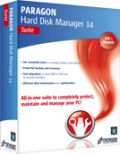
Un’esclusiva suite all-in-one per proteggere, manutenere e gestire il vostro PC!
- Tutte le funzioni essenziali per gestire i moderni hard disk;
- Funzioni di backup, ripristino e partizionamento;
- Migrazione rapida verso nuovi HDD, SSD e virtual machine;
- Manutenzione ed ottimizzazione del disco;
App gratis per iPhone »





App gratis per Android »





Commenti su Paragon Drive Copy 14 Compact (English Version)
Please add a comment explaining the reason behind your vote.
The PRO edition of this product is FABULOUS...this GAOTD version is just GOOD!
Why? Because a tool like this is usually required when you buy a new PC and want to migrate data + OS to it from an older PC with different hardware or when you want to deploy the same operating system on many computers with dissimilar hardware.
Unfortunately a key feature missing in this GAOTD.
So THUMBS UP with some reservations though...
Why? Because Aomei Backupper is FREE and does more or less the same things as this version of Paragon Drive Copy 14 (but it's rumored that the next new version of it will support "Restore to Dissimilar Hardware" Function as well...so let's stay tuned!!), so can't see any reason to download this GAOTD....how about you dudes?
http://www.aomeitech.com
To transfer almost any installed programs of yours from one Windows-based computer to another one with dissimilar hardware, keeping the original settings of them as well, just use this magic FREE portable app:
http://www.pickmeapp.com/pickmeapp
Or better yet use a virtualization product like "VirtualBox" + "GoPC Backup" as backup solution:
https://www.virtualbox.org/wiki/Virtualization
https://github.com/GeorgeSchiro/GoPcBackup
But why not use a FREE BARE METAL solution instead?
http://redobackup.org
Enjoy!!
My 2 cents for today's giveaway!!
Save | Cancel
I used to use Paragon's partition manager, that was given away here, often. I would use it to format a partition I created for backup before I would do a new backup. The last time I did this the program wiped my entire drive. It happened in a single instant. In 1 second my whole HD was erased. Everything was fine on my screen at first, but then when I tried to get out of paragon's program It didnt work. and then I realised there was no info on my hd anymore.
It cost me €35 to purchase a restore to factory settings kit from Toshiba for my laptop. I mentioned this on a previous giveaway and with the number of similar comments I saw that I am not the only one this has happend to.
I will never use their software ever again!
Save | Cancel
These are the features that are MISSING when compared to the professional version.
Migrate OS to dissimilar hardware
P2V Copy / P2V Adjust OS
V2V / V2P
Read-only mode for virtual disks
Resume operations on virtual volumes
Support for major virtual machines
WinPE recovery environment
P2P Adjust OS
Save | Cancel
Pros
*Allows you to migrate the operating system and data of your current system over to a different computer or hard drive (aka make an existing Windows installation bootable on a different computer or hard drive). NOTE: Compact version will not allow you to migrate to a computer with different hardware
*Can choose to copy a full hard disk or just a portion of it
*Allows you to copy from a regular hard disk to a SSD (Solid State Drive)
*Able to fix most system boot problems that are a result of human error or a boot virus
*Comes with basic partition management features
Cons
*Only allows you to move Windows XP and above (sorry all of you who are still holding onto Windows 95)
*Compact version is missing two key features — the ability to migrate data to a computer with different hardware and the ability to virtualize OS
Free Alternatives
Review of best free system backup software for Windows
Final Verdict
Click here for final verdict and full review
Save | Cancel
@Giovanni and other readers
Morning
Since we talk about “Restore to Dissimilar Hardware”, I whould like to make a reservation towards redobackup, it is a great software, but can not restore to diffrent sized harddrives. I recently noticed this myself.
Save | Cancel