Ogni giorno offriamo programmi GRATUITI che altrimenti dovresti comprare!
Giveaway of the day — Odin Video Converter
Odin Video Converter era disponibile come app gratuita il 31 luglio 2011!
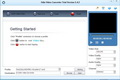
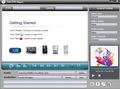
Odin Video Converter è uno strumento di conversione per i video molto popolare. Può aiutarvi a rippare e convertire tra di loro tutti i più popolari formati di file video e renderli compatibili con iPod, iPhone, PSP, 3GP, iPad, Apple TV, Xbox e altri dispositivi mobili. Permette di rippare l'audio in MP3, WMA, WAV, RA, M4A, AAC, AC3 ed OGG.
Funzionalità principali:
- Convertitore all-in-one per tutti i formati di video;
- Converte Video per vari dispositivi;
- Personalizza il video di output;
- Anteprima dei video prima della conversione;
- Converte file in modalità batch.
The current text is the result of machine translation. You can help us improve it.
Requisiti di Sistema:
Windows NT4/ 2000/ 2003/ XP/ Vista/ 7
Produttore:
Odin Share CompanyHomepage:
http://www.odinshare.com/video-converter.htmlDimensione File:
30 MB
Prezzo:
$36.95
Programmi correlati
Odin DVD Video Blu-ray Pack include un Blu-ray Ripper, un Convertitore di Video e un DVD Ripper. È un pacchetto potente ed economico perfetto per rippare e convertire qualsiasi film su blu ray e dvd, qualsiasi video e i classici DVD in qualsiasi formato di file video.
Odin Password Secure Manager è un programma per la gestione delle password molto utile che cifra, protegge e organizza le password. Usandolo, non dovrete più preoccuparvi di non ricordare le vostre password.
Odin Blu-ray DVD Ripper Platinum vi permetterà di rippare qualsiasi video in formato blu-ray (M2TS) in video in Alta Definizione (H.264/MPEG-4 AVC, Apple TV h.264 1080P, HD WMV, MPEG-2/MPEG-4 TS HD Video) e video standard AVI, MPEG, WMV, DivX, MP4, H.264/AVC, MOV, XviD, 3GP,RM e FLV.
Odin DVD Ripper vi dà la libertà di convertire i DVD in tutti i più popolari formati di video riproducibili sui vostri dispositivi multimediali preferiti!
GIVEAWAY download basket




App gratis per iPhone »




App gratis per Android »





Commenti su Odin Video Converter
Please add a comment explaining the reason behind your vote.
What's the point of all these paid converters with half the capabilities of great free converters ? Is anyone still buying this kind of software, I wonder ?
Save | Cancel
Skip Odin Video Converter -- if you need something now, there's a new version of ffmpeg out, listed on the front page at videohelp.com, & on the ffmpeg page you get when you click the link, quite a few front ends are listed.
Odin Video Converter is older, slower code, & rather than being for the most part self-contained, or even portable like many similar converters on GOTD, it has the potential to break video handling on your PC/laptop. That said, If it does break something, after uninstall it looks like re-installing any broken apps, codecs etc. should *probably* get things working. If you have ffdshow, Quicktime, &/or Real installed, I'd also suggest re-installing them to be safe.
Save | Cancel
Let me start of by saying, skip this one.
W7, x86.
OLD?
Archive is from May 2011, & files within even earlier, March.
And with MANY much older, like QuickTime, 2009 & Real, 2006.
Registration no-brainer with the given key, use any name.
After registration, no indication that it is registered (other then no prompt on startup).
Window is not realizable.
Looks like it will handle QuickTime & Real formats itself (as in you don't need to download/install QT/Real), though note the above dates.
Cannot drag & drop a video into the window. Must use the "Add videe
files" button (& file picker).
Video/Audio "quality" only has settings like; "highest, higher, normal, low, lowest".
Whatever "help" there may be, none is included with the program (i.e. online only).
Installation "registers" a number of files. (Codecs, I suppose. Don't
know how many?)
---
Attempt to add an .flv:
"Our software dont' support this video file, maybe the file has broken"
(Their wording/spelling, not mine.)
Attempts to Add *ANY* file fails with the same message.
Avoid.
Save | Cancel
Installs and seems to work OK on Win7 x64. Odin GUI seems to follow the pattern for video converters.
Despite various Idea Informer comments above it works with a wide variety of video formats including AVI and outputs to standard formats of different quality too. (A case of RTFP).
Settings for highest to lowest quality within each of those (to adjust compression rates??) seem excessive. Are they actually going be very useful.
I would have liked to have FLAC as an audio input/output option (from HQ Music Videos) but OGG is included.
Help isn't very much help at all. A simple introductory wizard would be a useful addition. As for clicking the information button....
Useability:
At present, whilst a conversion is running you can't do anything else useful with the program (Although you can run multiple instances). This seems daft. It would, for example, be helpful to add the next files you want to convert to the batch list (which continues when the current file finishes).
For the list of video profiles, it would be useful to have a set of, say 6, favourites (based on past use)at the top of the list. I'm probably only ever going to use a handful of the input options so why hunt through the whole list.
Given that each video profile comes with a range of options for video size/quality etc, it would be helpful to be able to store user preferences for these (even just defaulting to last used).
Minimize to tray and pop-up a message when a file/batch is completed.
Add option settings to exit the program/turn off PC when the batch of files has finished conversion.
Add history setting for save folders. I would be using the same folders on a regular basis but keeping PSP stuff separate from Zune.
Keep a log of processed files in order to make it easy to play that compressed wedding video you converted 23 months ago.
Given the comments that there are lots of (freeware) apps out there that do the same thing what features that are included in/missing from others could usefully be added to Odin that would make it useful to you.
Actually, the one feature it does offer which doesn't work for me with either input or output files, before, during or after processing is the tiddly preview screen. No other mentions of this (yet) so probably my machine, rather anything than CUDA related.
Save | Cancel
No MKV output? LOL!
No drag&drop? LOL#2!
Maximum output size for avi 480x320? Nah, you're kidding!
Deleted.
Save | Cancel