Ogni giorno offriamo programmi GRATUITI che altrimenti dovresti comprare!
MiniTool ShadowMaker Pro 4.3 Giveaway
$9.99 / month
SCADUTA

Giveaway of the day — MiniTool ShadowMaker Pro 4.3

Soluzione affidabile per la protezione dei dati e il ripristino di emergenza.
$9.99 per month SCADUTA
User Rating: 16 Lascia un commento

MiniTool ShadowMaker Pro 4.3 era disponibile come app gratuita il 02 dicembre 2023!

Oggi Giveaway of the Day
$29.90
gratis oggi
Un servizio di cattura dello schermo che ti consente di condividere istantaneamente gli screenshot.

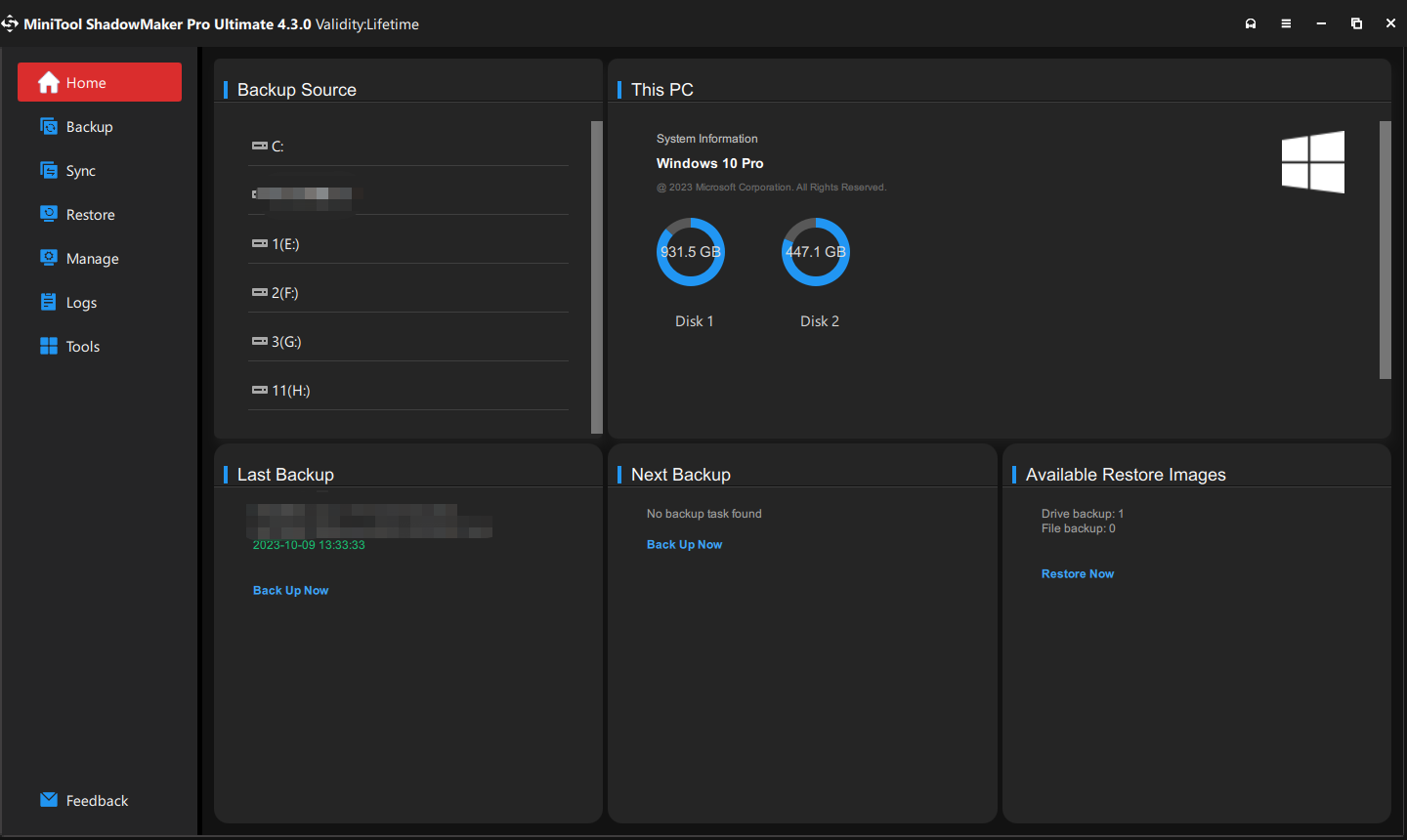
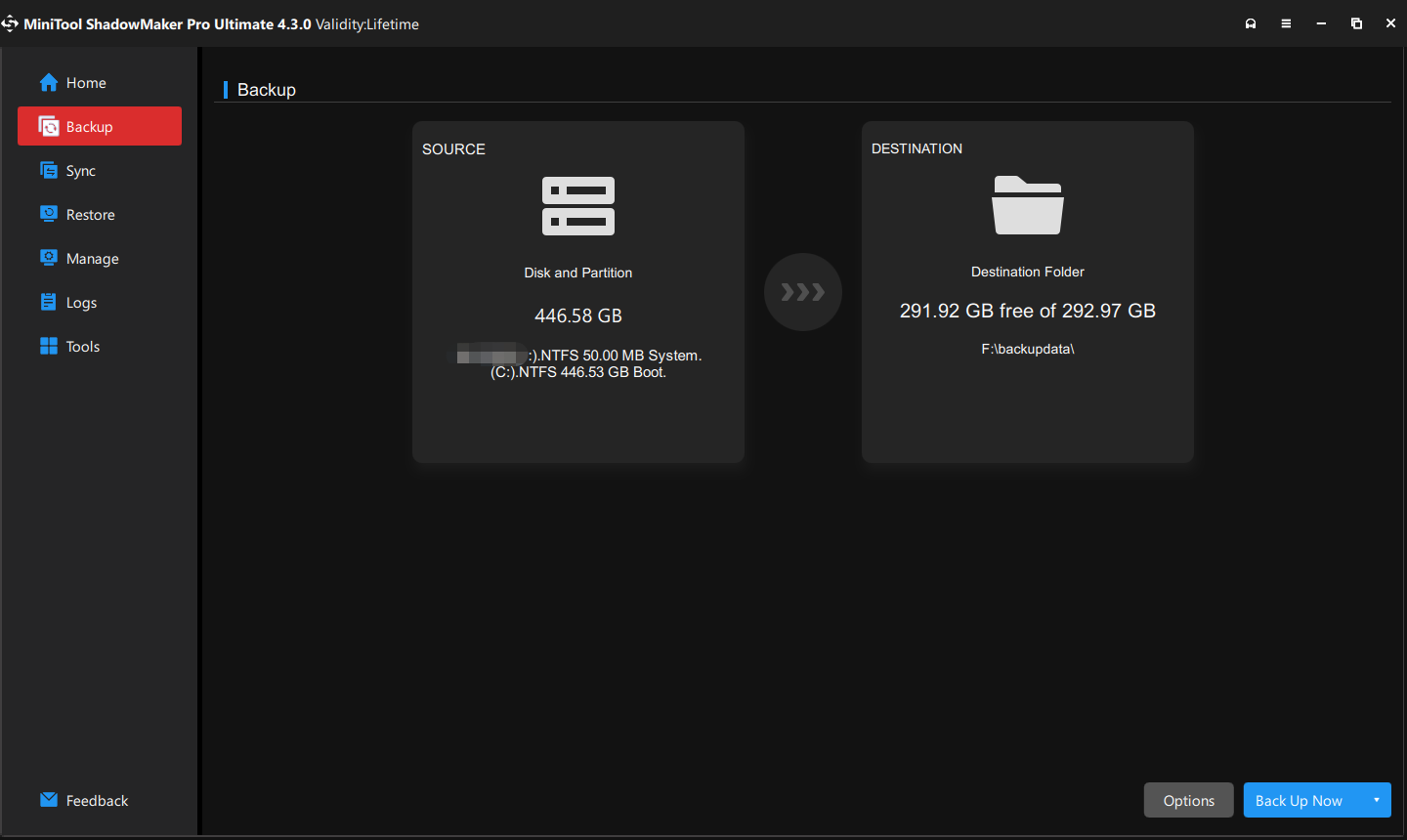
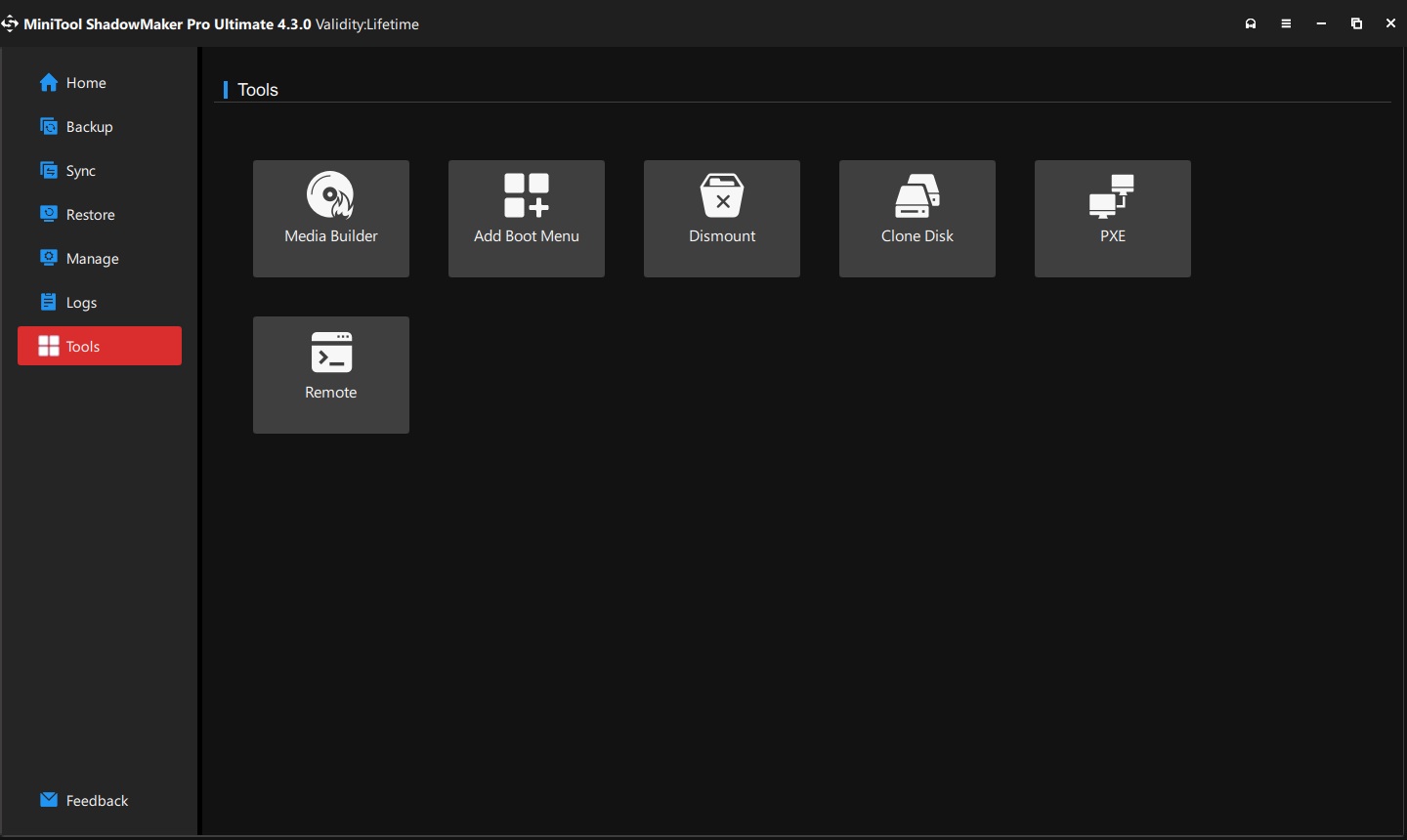
Per quanto riguarda il backup di Windows Server, l'alternativa gratuita a Windows Server Backup: MiniTool ShadowMaker è competente. È un software di backup del server che fornisce una soluzione di backup e ripristino all-in-one. Supporta Windows Server 2008/2012/2016/2019/2022. MiniTool ShadowMaker fornisce servizi di protezione dei dati e soluzioni di ripristino di emergenza per PC, server e workstation. È progettato per eseguire il backup del sistema operativo, dei dischi, delle partizioni, dei file e delle cartelle. Oltre alla funzionalità Backup, è uno strumento di clonazione che ti consente di clonare SSD su SSD più grandi e spostare Windows su un'altra unità.V4.3 (14 novembre 2023) Ultimo aggiornamento! ①Imposta il Nuovo ID disco come opzione ID predefinita per Clona disco. ②Risolto l'errore di backup del sistema che non riusciva a creare uno snapshot dei driver di origine quando il sistema operativo era crittografato con BitLocker. ③Altre correzioni di bug e miglioramenti.


The current text is the result of machine translation. You can help us improve it.

Requisiti di Sistema:

Windows 11/ 10/ 8/ 7

Produttore:

MiniTool Solution

Homepage:

https://www.minitool.com/backup/shadowmaker-pro.html

Dimensione File:

1.80 MB

Licence details:

6 month license

Prezzo:

$9.99 per month

GIVEAWAY download basket

Developed by Informer Technologies, Inc.
Developed by Garmin Ltd or its subsidiaries
Developed by Disc Soft Ltd.

Commenti su MiniTool ShadowMaker Pro 4.3

Thank you for voting!
Please add a comment explaining the reason behind your vote.
Top English commenti
#1

ShadowMaker is a disk partition image backup app that is also capable of file sync. It's not cheap & with a 6 month license you'll want/need to buy it when that's up. If you only have a single Windows PC, laptop, or tablet to backup, IMHO you're better off with Macrium Reflect for about the same price as the perpetual license [Macrium Reflect has also gone on sale 2 or 3 times a year for up to 1/2 off]. If you can use the included 3 licenses then ShadowMaker Pro may be a better value, though again you can do better price wise when O&O DiskImage multipacks go on sale. Like AOMEI Backupper & EaseUS ToDo backup apps, the bootable USB stick you create with ShadowMaker will not work on the majority of current systems, those with UEFI BIOS and using Secure Boot. It is possible to turn Secure Boot off, but why would you want or need to? You use software designed to suit you -- not the other way around. I can confirm however, that the simple fix for Backupper works here too: rename a copy of C:\Windows\ Boot\ EFI\ bootmgfw.efi to bootx64.efi and replace that file on the USB stick. One potential problem creating bootable USB sticks with ShadowMaker, is that unlike other backup apps I've tried, you don't get an option to download WinPE from Microsoft. Running in a Win11 VM it did not appear to download the needed files from what I could tell using Task Mgr., which would mean it likely uses the files stored on Windows Recovery partition. That's fine when it works, but it doesn't always work -- the Recovery partition can be damaged or just not work, or Windows might not know its GUID, or it might not be enabled in Windows etc.

That said... Everyone should back up their data – their personal files like important documents, receipts, photos etc. Lots, maybe most of that stuff is often stored in the cloud, e.g., OneDrive &/or Google Photos, as soon as it’s created. Disk partition image backup software however backs up the contents of the hard disk(s) / SSD(s) used by your PCs, laptops, & tablets, so if something bad happens, you can put everything back the way it was. Not everyone needs to back up their PC, laptop, or tablet – if all you use are apps from Windows Store, and/or if you mainly just work online, without many [or any] apps and games installed, reinstalling everything nowadays isn’t so bad. You can also try just resetting Windows, which does sometimes work. The days of spending hours performing Windows 7 updates after reinstalling Windows are long gone. For everyone else however, backing up your hard disks / SSDs, while maybe a hassle, does reduce your risks, especially given today’s malware.

A disk partition image backup app clones – makes an exact copy of – one or more hard disk partitions to usually a single file archive, usually a VHD [Virtual Hard Disk]. Every hard disk, SSD, USB stick etc. has at least one partition storing the physical location of every file stored on that partition. Hard disks, SSDs, and USB sticks can have multiple partitions, though USB sticks are generally limited to two, which can help with organization and is necessary when you want to isolate the contents of one partition from another. By default, installing Windows creates four. Disk partition image backup software lets you back up an individual or any combination of partitions on a hard disk / SSD, or every partition on a hard disk / SSD. Restoring a backup completely replaces anything stored on the effected partitions, creating an exact duplicate of the partition(s) that were backed up. Depending on the software you may be able to shrink or expand the restored partition(s) to take up more or less total disk space. Maybe think of it as 2 step cloning -- rather than cloning one disk to another, you clone a disk to a temporary virtual disk, and then clone that virtual disk to the destination when you restore a backup image.

The VHD files used to archive disk/partition image backups are usually a single file, though they can be split into several parts, e.g., 4GB so each part fits on a DVD, that when mounted behaves like a physical hard disk in Windows. Mounting a backup archive allows you to browse and copy files and/or folders stored in that archive. Most disk partition image backup apps use their own, proprietary format for the VHDs used to store backups, though a few, e.g., O&O Disk Image, will allow you to use the .vhd format recognized natively by Windows. Usually, backups in those proprietary formats take up less disk space than using a .vhd file. Some backup software, e.g., Macrium Reflect, can enable booting [starting Windows] using a backup archive. Once you create a backup that can act as a baseline, you usually have the option to just backup anything that’s changed since that baseline backup was created. That takes up less total disk space but depends on prior backups being available.

Because ransomware looks for backup archives, and will encrypt any that it finds, you want to store your backups on external or removable storage. It’s also insurance in case your device’s hard disk or SSD fails, so you lose access to any backups stored there. Choose carefully, because some external USB drives are prone to failure, as are writable Blu-ray discs – the pro recommendation is to store multiple copies, including one off site in case of fire, floods, tornadoes etc. The cheapest reliable solution is often regular hard disks or SSDs that you put in a USB housing yourself or use with a USB drive dock. Note that with Windows 11 you can create a storage pool using 2 drives with data mirroring – everything’s written to both drives at the same time, so if one drive fails, you’ve still got a copy on the 2nd.

If the hard disk / SSD in your PC, laptop, or tablet fails, if you’re hit with ransomware, or otherwise can’t rely on starting Windows, you’ll need to start your device using another, known good copy of Windows so that you can restore your backup. You can use a Windows to Go drive, which is a copy of Windows 10 or 11 installed on an external, usually USB drive [SSDs in an external USB housing work well] that you can create with Rufus [a small, free app], that has a copy of your backup software installed. Or you can use a bootable USB stick that you create using your backup software. Windows 10 & 11 are pretty forgiving when it comes to changing hardware – they’ll try to find and install any needed drivers on startup, so Windows installed on one PC should work on another, or in a VM [Virtual Machine], but there’s a GOTCHA. Windows boot setup is both poorly documented and finicky… all sorts of things may cause Windows to not boot [start] when you make changes. There are also utilities on some of the bootable USB sticks you create with backup &/or partitioning software to attempt repairing the boot files. [Note that by the end of 2024 Microsoft plans to implement a more secure boot setup, meaning that all bets are off regarding pretty much all currently available bootable USB sticks.]

Like most disk partition image backup software, ShadowMaker is a somewhat large app, taking up ~570MB of disk space -- the file you download from GOTD is a downloader, which downloads sm_x64.exe at ~210MB. Besides the program's folder you get Users\ [UserName]\ AppData\ Local\ CornerTips\ & system_backup_gui\. You'll also get an empty C:\Boot\ folder -- when you create a bootable USB stick the .wim file with WinPE and a special copy of ShadowMaker will be stored there. I recorded 228 new registry entries, including a new ShadowMaker service that starts & runs with Windows.

mike  –  2 years ago  –  Ritieni questo commento utile?  | no (+6)

App gratis per iPhone »

TipManager Track Service Tips Giveaway
Transform your service tips into financial success.
$0.99 ➞ gratis oggi
Hours & Minutes Calculator Pro Giveaway
Hours & Minutes Calculator Pro is your go-to app for precise and effortless time calculations.
$0.99 ➞ gratis oggi
Blend Ratio Calculator Giveaway
Achieve perfect mixing ratios with ease!
$0.99 ➞ gratis oggi
Navy Body Fat Calculator Pro Giveaway
Looking for a fast, accurate, and user-friendly solution to determine your body fat percentage?
$0.99 ➞ gratis oggi
My Photo Collage -  Maker Giveaway
Freely add backgrounds, import multiple photos, add some text, add various elements.
$0.99 ➞ gratis oggi

App gratis per Android »

Image Converter - HEIC to JPG Giveaway
An ultimate picture converter designed to enhance your convert image processing experience.
$1.99 ➞ gratis oggi
Rigoletto - Squircle Icon Pack Giveaway
Rigoletto is a squircle icon pack with a touch of ring and flat colors.
$1.99 ➞ gratis oggi
Word Quest - Decode the Clues! Giveaway
Decode, Discover, Dominate: Word Quest, Where Clues Connect!
$1.49 ➞ gratis oggi
Yellowdiant - Icon Pack Giveaway
Yellowdiant is beautiful yellowish gradient dark icon pack that make you feel happy.
$1.49 ➞ gratis oggi
Dungeon Princess 2 : RPG Giveaway
Command a princess, and her subjects, as they head towards the deepest parts of a Dungeon.
$0.49 ➞ gratis oggi