Ogni giorno offriamo programmi GRATUITI che altrimenti dovresti comprare!
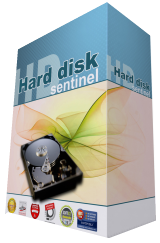
Giveaway of the day — Hard Disk Sentinel Standard 5.01
Hard Disk Sentinel Standard 5.01 era disponibile come app gratuita il 22 giugno 2018!

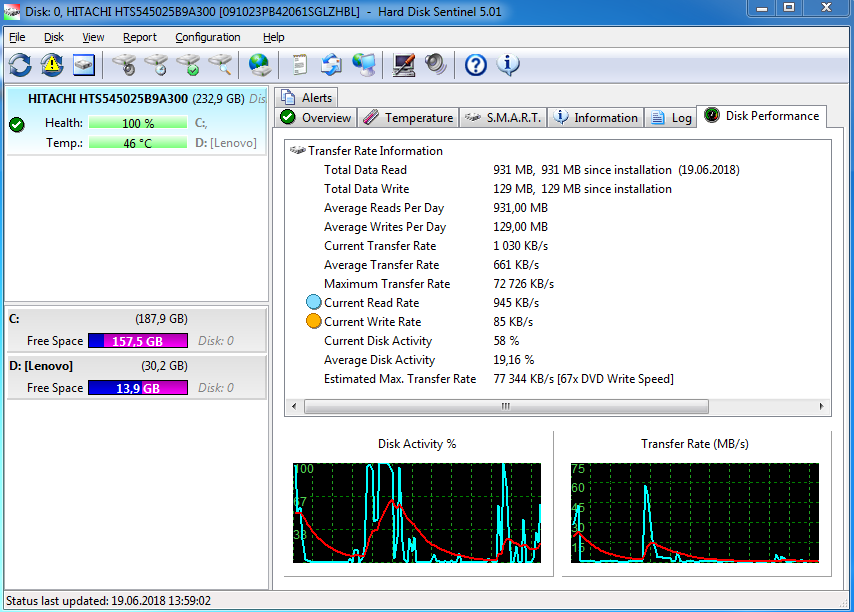
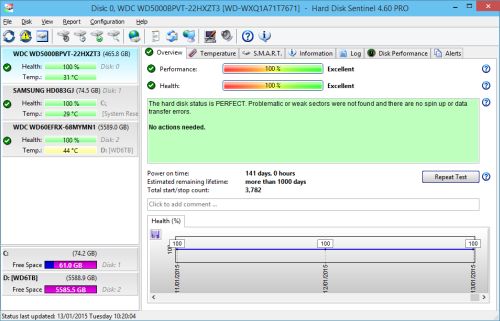
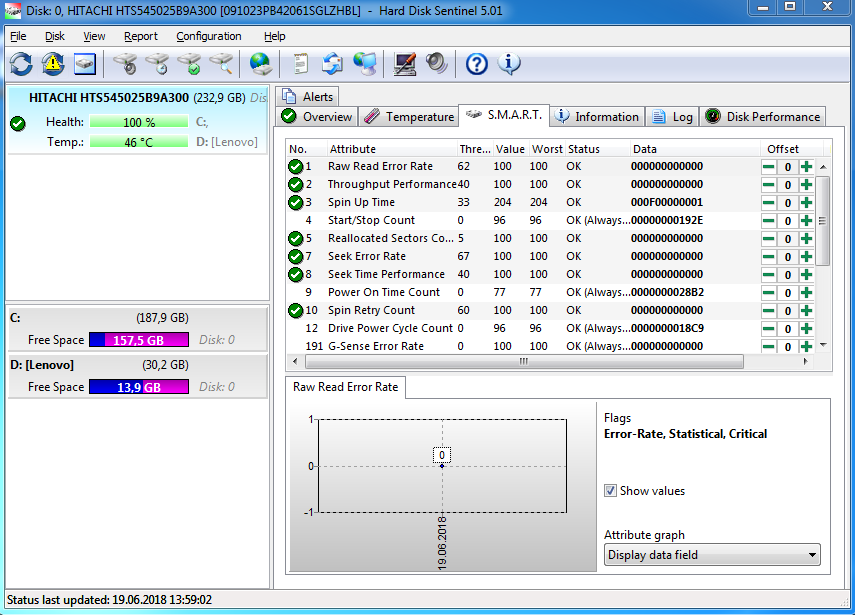
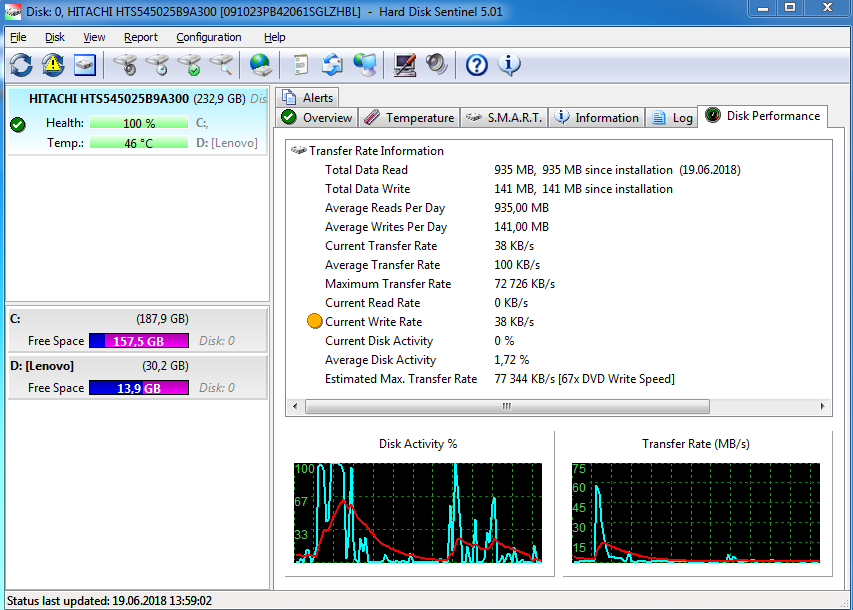
Individua Problemi dell'Hard Drive prima che Incombi la Catastrofe. Con Hard Disk Sentinel, avrai sempre una visione completa della salute del tuo hard drive, in modo tale che tu possa individuare potenziali problemi prima che diventino una catastrofe di dati irrecuperabili. Hard Disk Sentinel è la tua chiave per identificare, testare, diagnosticare, e riparare i problemi dell'hard drive, persino Drive a stato solido.
Con Hard Disk Sentinel, puoi istantaneamente visualizzare relazioni con i dettagli della salute generale del tuo drive, compresi la temperatura, i dati di auto-monitoraggio, le velocità di trasferimento e molto altro. Qualsiasi deviazione in questi fattori potrebbe essere un precoce segnale di avvertimento di un guasto imminente al drive! Hard Disk Sentinel funziona anche su hard disk, che sono utilizzati come USB esterni oppure e-SATA e controllori RAID. Non c'è bisogno di utilizzare tool diversi per verificare gli hard disk interni, gli hard disk interni, SSD, dischi in RAID, poichè sono inclusi in un unico programma. SE i tuoi dati sono importanti, lo devi a te stesso, procurati una copia di Hard Disk Sentinel oggi stesso!
The current text is the result of machine translation. You can help us improve it.
Requisiti di Sistema:
Windows 95/ 98/ 98 SE/ ME/ NT4/ 2000/ XP/ 2003/ 2008/ Vista/ 7/ Home Server/ 2012/ 8/ 8.1/ 10; Pentium or compatible CPU; 64 MB of system memory; HD: 30 MB
Produttore:
Hard Disk MonitoringHomepage:
http://www.hdsentinel.com/hard_disk_sentinel.phpDimensione File:
26.4 MB
Prezzo:
$19.50
Programmi correlati
Ordina Hard Disk Sentinel PRO con 45% di sconto per 1 computer, OPPURE per 5 computer, Licenza Famiglia.
Commenti su Hard Disk Sentinel Standard 5.01
Please add a comment explaining the reason behind your vote.

I've used many different programs that report on the health of hard disks and SSDs and in my opinion, Hard Disk Sentinel is much better than the alternatives. What makes it stand out, is that rather than just indicating if there is a problem with a drive, it actually gives a fairly detailed explanation of the condition of the drive as well as an estimated life span. This is very useful, as it can tell you if any problems with a drive are minor and not worth worrying about, until the health decreases further, or if there are serious issues, which mean you really need to replace the failing drive, as soon as possible.
I like Hard Disk Sentinel so much, that I actually purchased a license. Whenever I'm working on a customer's computer, I install a trial version, so I can see if there are issues with the hard drive. If the drive is failing, I clone the drive to a new one (you can't do this with Hard Disk Sentinel itself), so that the customer does not lose any of their precious data.
If you miss out on today's giveaway, CrytalDiskInfo is free alternative. However, it does not give a description of the condition of the drive.

All of the info presented to you from HD Sentinel comes from S.M.A.R.T., there is no need for this software to run 24/7 in the background. Once in a while read the info for yourself using any OS installed on your computer. Furthermore, why you would like to know the irrelevant info like average access time or seek time or number of boot times in the last month.
My experience tells me, when a drive fails it fails for good without prior warning, therefore, always have a back up or two handy to replaced the failed drive.
Berry,
"My experience tells me, when a drive fails it fails for good without prior warning..."
Sometimes yes, sometimes no -- I've had it happen both ways... one HDD I just swapped out was just getting slower & slower, while I've had them fail near completely or completely both with & without notice in the past. If you look at the S.M.A.R.T. data every so often it *might* tip you off to pending failure -- if you never look at the S.M.A.R.T. data, you lose that chance that you might be forewarned, no matter how small it might be. ;)
A very old version 5.01 being given away considering they are up to version 5.20.
Nigel: but this is not "a very old version".
Hungarian developer HDS's approach to build numbers has always been idiosyncratic, something those juvenile uptickers of your criticism would've realised if they'd bothered to check first before parading their ignorance. Current version 5.20 (2018) was preceded by 5.01 (2017), 4.71 (2016), 4.60 (2015) 4.50 (2014) and 4.40 (2013).
I'm all for calling out developers who deserve it, but the kind of comment you've posted is unfair as well as misleading.
As to today's giveaway of 5.01, it may well be the previous version but that doesn't mean it's not worth downloading and trying out by those who don't already have HDD monitoring on their computers. It's not as though this is an unproven debut product; I first used Hard Disk Sentinel ten or so years ago and it's been tried, tested and appreciated by many thousands worldwide since then.
That's not to say every computer user will see the need for a commercial product when plenty of HDD monitoring freeware is already out there, including "CrystalDiskInfo" from a well-regarded Japanese Open Source developer.
I've used Hard Disk Sentinel for several years now. I't a nice piece of software. And I've never had a problem with it. You can have it start with windows to keep a constant check on your drive. Or you can just run it manually every once in a while to check that the temps and read/writes/errors are okay. Two thumbs up from me.
"1) disable the anti-virus suite and restart the computer. You need to disable all the anti-virus systems if you have more than one installed. Make sure it won't start automatically with the computer."
OUCH! Maybe I am in a majority of one here but instructions like this get me seriously concerned.
JingleBob, it's nothing to do with Hard Disk Sentinel. It's the software that Giveaway of the Day use to protect their giveaways, so that you can't install them, after the giveaway ends.
App gratis per iPhone »





App gratis per Android »





Ottimo programma per visualizzare lo stato di salute del tuo disco rigido.
Save | Cancel
Buongiorno, dopo aver scaricato il programma, lanciando il setup non viene installato nulla ma compare solo la finestra che dice software attivato. Inoltre il link http://www.hdsentinel.com/hard_disk_sentinel.php risulta irrangiungibile.
Save | Cancel
Angelo, Please switch off your Antivirus while installing. Your AV reacts on our software wrapper that limits the file intallation to 24 hours only.
Save | Cancel
Angelo, da me il link funziona,ma il programma non lo ancora scaricato,tu che dici? conviene?
Save | Cancel
Alexa Bennett, si era avast che bloccava l'installazione. Grazie.
Save | Cancel
corrado, molto completo rispetto ad altri free, secondo me conviene.
Save | Cancel