Ogni giorno offriamo programmi GRATUITI che altrimenti dovresti comprare!
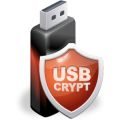
Giveaway of the day — USBCrypt
USBCrypt era disponibile come app gratuita il 03 giugno 2010!

USBCrypt è un software molto potente per la cifratura che può essere usato per proteggere con password penne USB ed altri dispositivi mobili sfruttando le potenzialità della cifratura AES. I drive cifrati potranno essere usati anche su PC su cui USBCrypt non è installato.
USBCrypt può proteggere ogni dispositivo USB supportato da Windows. I drive protetti possono essere usati per ospitare qualsiasi tipo di file: testi, fogli di calcolo, file finanziari, video, MP3, ecc. Il programma integra anche un'opzione per creare una "chiave di riserva" da usare quando si dimentica la password.
The current text is the result of machine translation. You can help us improve it.
Requisiti di Sistema:
Windows 7/Vista/XP/2000 (x32 and x64)
Produttore:
WinAbility Software CorpHomepage:
http://www.winability.info/Dimensione File:
9.47 MB
Prezzo:
$29.95
Programmi correlati

AB Commander per Windows 7/Vista/XP/2000/x64 - La nuova generazione del file manager a due pannelli sostituto dell'Esplora Risorse, che vi aiuterà a lavorare con file e cartelle in maniera facile e veloce. Include un divisore di file, un sincronizzatore di cartelle, un visualizzatore di immagini, un editor di testo completo e altro. E' molto personalizzabile ed user friendly. Gratis per 30 giorni (completo di tutte le funzioni).

Folder Guard per Windows 7/Vista/XP/2000/x64 - Un'utility molto potente per la sicurezza e il controllo degli accessi utilizzabile per proteggere con password o nascondere del tutto file e cartelle da altri utenti, controllare l'accesso ai file con dei filtri, restringere l'accesso al Pannello di controllo di Windows e molto altro ancora. Rende le cartelle invisibili a qualsiasi applicazione, inclusi Explorer, Office e il prompt dei comandi.Gratis per 30 giorni (completo di tutte le funzioni).

MySecretFolder per Windows 7/Vista/XP/2000/x64 è un'utility per la sicurezza molto facile da usare che permette di nascondere o bloccare con password le cartelle del vostro computer. In questo modo, gli altri utenti non potranno mettere il naso nei vostri file personali senza conoscere la password che avete impostato per accedervi. Rende le cartelle protette invisibili ad ogni applicazione, inclusi Explorer, Office e prompt dei comandi. Gratis per 30 giorni (completo di tutte le funzioni).
GIVEAWAY download basket



Commenti su USBCrypt
Please add a comment explaining the reason behind your vote.
Download and installs easily. Activated automatically... so no hassle there. Seems to work fine in Windows XP SP3 though I haven't got a chance to test encrypting a USB drive yet. I like the fact that you can access the encrypted files even on a PC without USBCrypt as it automatically installs a portable version of itself on the unencrypted part of the USB drive. On Windows-only PC, of course.
A free alternative is TrueCrypt, which has the advantage of being cross-platform and can also run as a portable app from the USB drive itself.

#7 - Retell - Some of the programs that we get from GOTD have little programs in them that automatically search for and install updates. It is after this update process that they revert to 'trial' versions and expire on us after a set period of time. Some programs don't do it automatically but will give us a message "New version available"and getting the update will screw us out of the freebie we currently have working on our machine.
# 2 of the terms and conditions (up above) says, "No free upgrades to future versions" yet some programs will, as said, automatically upgrade so you have to check and turn off that function if the program is set for it. Would be nice if the setup instructions would tell us about auto-update and turning it off or if the settings would be 'opt in' as opposed to 'opt out' but they don't so one has to check if the options are available. - Ethical or unethical? That is debatable. I'd prefer they be upfront about it. -
I've lost quite a few good programs through this system but they were free to start with. So it goes. But if the free software does the auto-update with a program that is setting up encryption/passwords and you forget the password... - - Be careful out there.
Be careful out there.
Hello everyone, Andrei from WinAbility Software here. First of all, thank you all who voted up for USBCrypt (all 101 of you :-) ) Let me answer some question posted so far:
- If you use the encrypted drive on another computer, the admin right are required (once per Windows session);
- If you plug the drive into a Mac or Linux computer, the drive will remain encrypted, because the software does not run on Mac or Linux;
- If you back up the host drive, the encrypted data will be saved in the encrypted form. If you backup the encrypted files after entering your password, they will be backed up in the decrypted form.
If you have other questions, please note that although this promotion does not include the standard technical or customer support we usually provide, we've set up a special Facebook page for the GOTD customers:
http://www.facebook.com/pages/Encryption/115647851807099
Please feel free to post your comments or questions on the Wall or within the Discussions tab, and we will try to answer your questions there.
Thanks again!
At the moment the rating is 66 (34%) thumbs up, # 129 (66%) thumbs down, and yet there are no negative comments.
Would someone who has given it the thumbs down please explain what's wrong with it, or whether it's simply because they don't want it.
Here's a really stupid question! But it's the first time I'm asking anything here, so have mercy...
Anybody know what happens if a protected usb drive is plugged into a mac computer? Will the security just be bypassed? Will the password still work?
I'm only asking because I have no way of testing this possibly simple way to bypass the security! I would have thought something like this would need to be java based (or something else cross platform) to be truly effective.
I hope I'm wrong.
App gratis per iPhone »




App gratis per Android »





@Jerdo: ti posso confermare (naturalmente posso parlare solo del mio caso specifico...) che è possibile accedere tranquillamente allo spazio libero sulla chiavetta, senza alcuna necessità di partizionamento... Ti dirò di più: ho effettuato l'operazione di creazione di un disco virtuale nascosto su una chiavetta che già conteneva dati e al termine dell'operazione i documenti erano perfettamente accessibili e in chiaro, mentre l'accesso ai dati contenuti nel drive virtuale era possibile solo inserendo l'apposita password...
Alberto
Save | Cancel
Praticamente il programma và bene per i "rincoglioniti",per chi porta la chiavetta attaccata al collo come Jerdo invece è inutile,ma vai vai...
Non hai mai perso un mazzo di chiavi?Sai cos'è un furto?
Tutti Superman e SPECIAL ONE...
Save | Cancel
@esausto: non è una scelta dimenticare la chiavetta e questi programmi sono proprio utili ai distratti... e meno male che esistono questi programmi!
@Alberto: è vero, si può dimensionare lo spazio riservato a usbcrypt, però la parte rimanenente rimane inutilizzabile a meno di partizionarla con un tool di partizionamento: forse ho solo io questo problema. Quando ho tempo proverò a cambiare chiavetta e speriamo che il programma funzioni a dovere come funziona a coloro che hanno postato.
@Postodirado: montando la testa? ma vaa! :) Ripeto: meno male che esistono questi programmi e un bravo agli sviluppatori che li producono!
Purtroppo a me non funziona a dovere e come già detto proverò con altro hardware. Non ti preoccupare, non mi offendo di certo, e di certo non volevo offendere nessuno, anche se posso capire che il mio post potrebbe essere malinterpretato.
Save | Cancel
@jerdo
non ti starai montando un po'la testa?
Ti ritieni forse un esperto? con le tue affermazioni?(..adatto alle persone distratte...non presenta utilità pratica..)?Se fossi io lo sviluppatore resterei un po' male!
Hai fatto incavolare anche Popof, noto per la sua correttezza oltre che per l'intelligenza.
Detto da me (poco esperto) il commento potrebbe essere poco affidabile però...mi azzardo nel dire che l'attuale SW, a differenza di altri programmi similari,ti permette il bloccaggio dell’accesso ai dati sulla pen USB, anche su computer sui quali non è installato il programma.(per i precedenti proposti era impossibile senza la presenza del SW sul PC in uso).
Una volta installato ed aperto, si va semplicemente a selezionare l'unità da proteggere,inserendo una password. La penUSB sarà protetta da ogni forma di accesso e quindi avremo messo i nostri file al sicuro…ovviamente non esclude che un hacker possa riuscire ad entrarci.
Se non ti bastasse puoi usare true cript(che è pure free e conosciuto per l'affidabilità in termini di funzionalità)
dove potrai scegliere di creare un volume standard o nascosto,
o crittografare l'intera unità USB.
Save | Cancel
Semmai, dando una seconda occhiata al programma, un punto che a mio parere sembra debole è il fatto che, mentre in TrueCrypt il file con annidato il disco virtuale può essere nascosto dovunque su un hard disc o altri supporti, in questo caso tale file viene invece salvato in una cartella "USBCrypt system" che potrebbe essere facilmente identificata da malintenzionati che conoscono le caratteristiche di questo programma e, se è vero che non è possibile decriptare il file, è anche vero che possono cancellarlo tranquillamente, distruggendo così i dati in esso contenuti...
Alberto
Save | Cancel
@Jerdo
Ciao! Non so se ho capito correttamente la tua obiezione, tuttavia o provato ad utilizzare il programma su una chiavetta USB di test e mi sembra che il programma faccia quello che tu chiedi... Si comporta allo stesso modo di TrueCrypt: crea un file nascosto che contiene il disco virtuale (protetto da password..) e dello spazio lasciato libero sulla chiavetta (in funzione della dimensione del disco virtuale che hai creato..) puoi fare quello che vuoi, quindi anche creare cartelle non criptate per la condivisione di documenti...
Io, ad es., avevo già delle cartelle e dei file in chiaro che sono rimasti intatti sulla chiavetta e ora mi ritrovo un disco nascosto (pari a circa il 50% della dimensione della chiavetta stessa...) in cui posso inserire eventuali documenti riservati...
Se intendevi qualcosa d'altro, fammi sapere...
Alberto
Save | Cancel
@jerdo
secondo te è una scelta dimenticare una chiavetta?
Forse tu sarai accortissimo, dotato di un controllo totale anche dell'emisfero sinistro...ma molti comuni mortali corrono questo rischio.
Puoi comunque, se ne hai necessità, crearti all'interno della penUSB una cartella criptata auto-estraente protetta da PW, anche utilizzando il SW pochi giorni fa proposto WinOptmizer.
Esiste anche un SW Buonissimo "Easy file locker" che mi pare sia portable...scusa per il dubbio, ma la fretta ora mi impedisce di verificarlo. Ciao e...senza offesa per la mia osservazione
Save | Cancel
Il programma funziona, ed è adatto alle persone distratte. Per tutti gli altri che non dimenticano la chiavetta in giro, il software non presenta utilità pratica: l'utilità potrebbe averla se fosse possibile criptare il contenuto di una partizione o cartella presente nella chiavetta, in modo da poter condividere i dati non sensibili con altre persone mantenendo la sicurezza dei dati criptati: questa caratteristica io non sono riuscito a trovarla nel software di oggi.
Pollice barzotto!
Save | Cancel