Ogni giorno offriamo programmi GRATUITI che altrimenti dovresti comprare!

Giveaway of the day — Phototheca 1.6.0
Phototheca 1.6.0 era disponibile come app gratuita il 15 ottobre 2015!
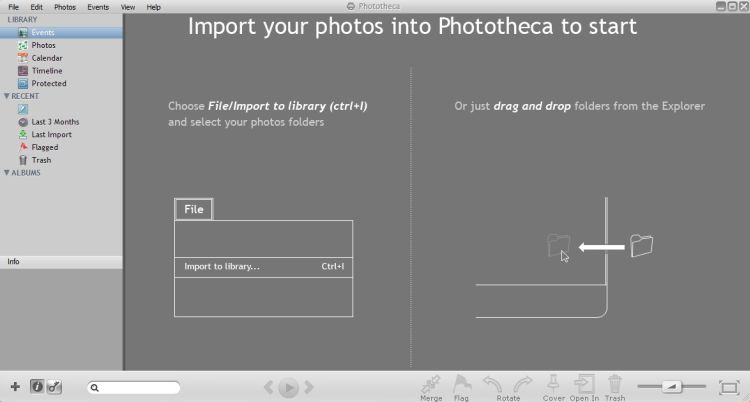
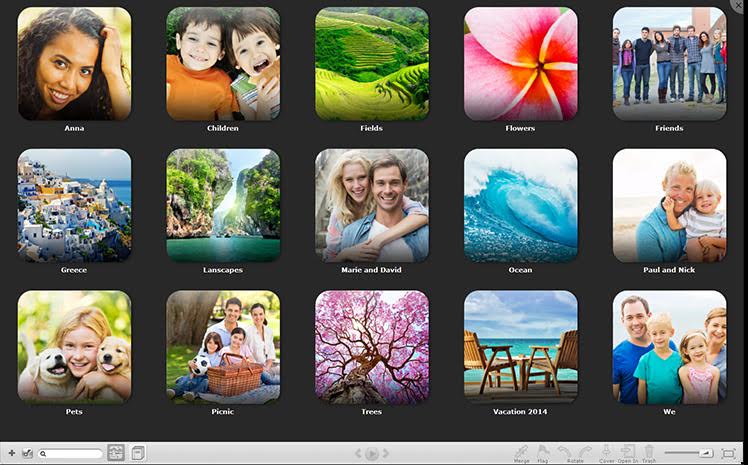
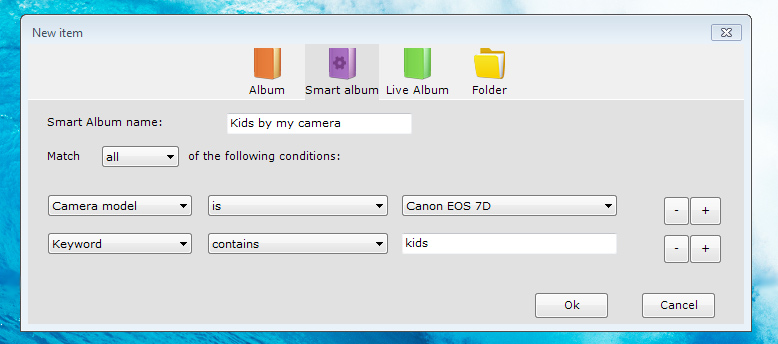
Vorresti mettere ordine tra le tue migliaia di foto? Phototheca è il tool più conveniente per organizzare e strutturare le foto. È molto facile da usare - basta creare e riempire gli eventi, gli album e gli smart album. Con questo programma, puoi taggare i tuoi amici sulle foto, aggiungere parole chiavi e i luoghi, dove sono state scattate le foto e aggiungere il filtro secondo il modello della macchina fotografica e la data.
Correggere l'orario errato sulle foto, se l'impostazione della macchina non era corretta al momento dello scatto. Crea la tua propria fototeca raffinata e trasparente, organizzata secondo i tuoi gusti.
The current text is the result of machine translation. You can help us improve it.
Requisiti di Sistema:
Windows XP/ Vista/ 7/ 8; CPU: 1GHz; RAM: 2GB; HDD: 80GB; Graphic adapter: support OpenGL 1.4 or higher; .NET Framework: 3.5 or higher
Produttore:
Lunarship SoftwareHomepage:
http://lunarship.com/Dimensione File:
15.7 MB
Prezzo:
$19.95
GIVEAWAY download basket




App gratis per iPhone »





App gratis per Android »





Commenti su Phototheca 1.6.0
Please add a comment explaining the reason behind your vote.
On Windows 10 it forces to install itself to C:\Users\\AppData\Local\Phototheca\Application even if you try to set the path to Program Files which will get ignored. This is a non-standard procedure.
Same as Tex Jay here with initial Dot Net script error.
Phototheca appears to be portable "somewhat".
Unusual default setting
---------------------------
Phototheca
---------------------------
There are some small images found in imported files, they will be skipped by default.
You can change this option in Settings->Advanced
---------------------------
OK
---------------------------
Excuse me.... what ?
So I can try now to figure out of well more than 11 thousand photos which are too small to import ?
No deal.
Thanks a bunch, but I will not keep this.
Save | Cancel
Installed and registered without any difficulty, opened up to an uninspiring interface.
Hoped that this would assist me in organising my family photographs taken over the last six years which are scattered all over my hard drives.
Feel the program has real potential but it has a long way to go; no help file, lack of filters for file type and image size and not even hints when hovering over the various functions.
Many years ago I had a program that would browse your hard drive for images and was hoping this would be similar.
Picasa doesn't fulfil my needs and nor does this program so I suppose I'll just have to keep looking.
Save | Cancel
Works on Win 10, initial script problem cleared by starting program over. Had a scare when importing photos, program stated it was "moving" not copying photos. Photos were not moved but actually copied to the new folder. Many options available, will keep. Thanks GOTD and Lunarship Software
Save | Cancel
Not good enough. Scripted mindless transfers that skip photos considered too small to bother with, are not useful.
The user interface looks amateurish.
ACDSee (paid software) knocks the socks off Phototheca.
Used in conjunction with Total Commander, ACDSee is terrific.
The following are good photo organisers, tried tested and proven :
Zoner Photo Studio (giveaway)
FastStone Image Viewer portable freeware
Ashampoo Photo Commander (Ver11 is better than Ver12) (giveaway)
XnView portable freeware
Save | Cancel