Ogni giorno offriamo programmi GRATUITI che altrimenti dovresti comprare!
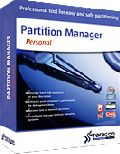
Giveaway of the day — Partition Manager 9.5 Personal (English)
Partition Manager 9.5 Personal (English) era disponibile come app gratuita il 07 aprile 2010!
Prendete l'originale! Gli strumenti avanzati per il partizionamento targati Paragon Software vi aiuteranno a gestire e controllare al meglio i vostri hard disk.
Con l’aumentare della capienza degli hard disk, il bisogno di suddividere questi ultimi in partizioni è cresciuta sempre di più. Questa semplicissima soluzione per il partizionamento è l'ideale per ristrutturare il vostro hard disk ed ottimizzare l'archiviazione dei dati.
Funzionalità complete:
- Set completo di operazioni per il partizionamento
- Supporto completo al software e all'hardware più recente
- Copia, deframmentazione e gestione del boot
- Interfaccia utente strutturata su due livelli: Facile ed Avanzata
- Recupera dati da CD/DVD/USB
Sicurezza delle operazioni critiche:
- L'unica soluzione che comprende la funzione di backup e assicura la non perdita di dati
- Recupera dati su hardware e SO difettosi; 15 anni di esperienza in questo campo
- La tecnologia Paragon Hot Resize TM espande le partizioni senza riavviare Windows
- La tecnologia Paragon Smart Partition TM permette di compiere le operazioni di partizionamento in tutta sicurezza
- La tecnologia Paragon Power Shield TM fornisce consistenza ai dati
Durante il periodo dell'offerta, Paragon Software fornisce supporto tecnico su http://twitter.com/paragonsoftware. Potrete postare lì le vostre domande inerenti al download, alla registrazione e all’utilizzo del software. Il team di supporto di Paragon Software vi risponderà il prima possibile.
The current text is the result of machine translation. You can help us improve it.
Requisiti di Sistema:
Windows 7/Vista/XP (32/64-bit); 300 MHz or higher; RAM 256 MB; Hard disk drive with 100 MB of available space; Internet Explorer 5.0 or higher; SVGA video adapter and monitor
Produttore:
Paragon SoftwareHomepage:
http://www.paragon-software.com/home/pm-personal/features.htmlDimensione File:
128 MB
Prezzo:
$39.95
Programmi correlati
NUOVA VERSIONE 10.1 - Protezione totale del PC per utenti seri! Prendete il controllo dello stato di sicurezza del vostro computer. Basato sulle solide soluzioni commerciali per il backup e il ripristino di Paragon, il nuovo Backup & Recovery 10.1 Free Edition fornisce una così vasta gamma di opzioni che è difficile immaginarla. Le persone in gamba fanno i backup; Backup & Recovery è la soluzione di backup per le persone in gamba.
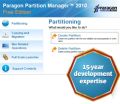
Partizionare gli hard disk non è un gioco da ragazzi. Ecco perché milioni di persone si sono affidate delle nostre tecnologie sicure e stabili per ben 15 anni. L’edizione 2010 del programma consente di organizzare facilmente i dischi fissi ed amministrare lo spazio libero per velocizzare il sistema.
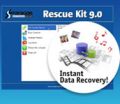
Non aspettate che il vostro computer vada incontro a chissà quale disastro – proteggete il vostro PC con questo programma per il recupero dei dati! Rescue Kit corregge i problemi legati alla fase di boot, recupera i dati quando i danni sono irreparabili e recupera partizioni cancellate. Tutto quello che dovete fare per usarlo è masterizzarlo su un qualsiasi CD/DVD!
App gratis per iPhone »




App gratis per Android »





Commenti su Partition Manager 9.5 Personal (English)
Please add a comment explaining the reason behind your vote.
The Good
* Fairly easy to use - simple on-screen wizards to guide you through each task.
* Can create, expand, resize, merge, delete, undelete, copy, hide, unhide, rename (label and letter), and defrag partitions.
* Supports Windows, Linux, and Mac file system formats for partitions.
o Allows users to easily redistribute space between Windows and Mac partitions.
* Can copy a whole hard drive to another.
* Has error checking utilities.
* Allows users to perform image backups/restores.
o Can do selective restores and "restore partition with resize".
* Can create recovery media on CD/DVD/USB flash drive.
* Has handy MBR related features.
* Allows users to view partition contents of any file system while in Windows.
The Bad
* Huge download size.
* Doesn't support WinPE bootable media (Linux-based only).
* When formatting a partition, if partition size is small seeing which partition you have selected is difficult.
* Image backup size estimate is inconsistent and inaccurate.
* You can't copy a partition into an existing partition.
Free Alternatives
Paragon Partition Manager Free Edition
Partition Wizard
EASEUS Partition Manager Home Edition
For final verdict, recommendations, and full review please click here.
Save | Cancel
>> On January 11, 2010, we got Partition Manager 10 Personal already. So this is kind of a step backwards… Anyway, fine for new GOTD users.
It was the same build in January. We decided to give a chance to those who missed it to download it now. If you have a version from January, no need to download this one.
From now on our promo versions will have version number 0.5 lower than commercial version. So free version 9.5 is a clone of commercial version 10.
Save | Cancel
@ Jimbo - try reading the program description properly before commenting negatively - there's a separate link that says "If you are x64 OS user follow the link here (file size: 128 MB)". If you've tried that and it still doesn't work, THEN say so.
Save | Cancel
@9: Jimbo-The 64 bit version is available if you look at the top of the page
See this
"If you are x64 OS user follow the link here (file size: 128 MB)."
It gives a link directly to the 64 bit download.
FYI :)
Save | Cancel
In case anyone has a problem getting to the registration page, the direct link is https://www.paragon-software.com/registration/pm95pers.html.
Save | Cancel