Ogni giorno offriamo programmi GRATUITI che altrimenti dovresti comprare!
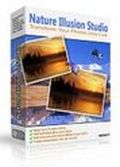
Giveaway of the day — Nature Illusion Studio Standard Edition
Nature Illusion Studio Standard Edition era disponibile come app gratuita il 06 agosto 2010!

Trasformate le vostre foto di paesaggi in scenari della natura animati, aggiungendo ad esse dei corsi d'acqua in movimento, effetti sonori e condizioni meteo. Tutti gli effetti visivi sono creati con estrema accuratezza e rispettano la legge della fisica, così elementi quali le onde nell'acqua e l'effetto del vento risulteranno estremamente realistici.Il risultato finale sarà una superba presentazione animata che potrà essere salvata come uno screensaver, un eseguibile stand-alone, un filmato AVI o un'animazione GIF, e distribuita facilmente ad amici e parenti.
Funzionalità principali:
- Applica fino a 6 tipi di effetti d'acqua diversi ad una singola foto
- Aggiunge neve o pioggia alle foto
- Aggiunge effetti sonori ad 8 canali
- Include una libreria di effetti predefiniti, come laghi, fiumi, fuoco, nebbia, ecc.
- Salva i risultati come screensaver, file eseguibili, GIF e file AVI
Offerta speciale per i visitatori di GOTD:
Oggi potete acquistare Nature Illusion Studio Professional Edition a soli 15$ (il prezzo normale è di 39.95$). La professional edition vi permetterà di aggiungere oggetti animati e musiche di sottofondo alle foto. Inoltre, avrete diritto a tutte le nuove versioni di Nature Illusion Studio che usciranno in futuro. Cliccate qui per acquistare la Professional Edition.
The current text is the result of machine translation. You can help us improve it.
Requisiti di Sistema:
Windows 2000/ XP/ Vista(x32 and x64)/ 7 (x32 and x64)
Produttore:
NufsoftHomepage:
http://www.nufsoft.com/nature_studio.phpDimensione File:
6.48 MB
Prezzo:
$24.95
Programmi correlati
Crea screensavers animati professionali per uso personale o commerciale dotati di supporto shareware e caratteristiche commerciali. Offerta speciale (50% di sconto): Acquistate il bundle con Ace Pro Screensaver Creator , Nature Illusion Studio e Nature Illusion Screensaver a soli 39.5$. Cliccate qui per acquistare.
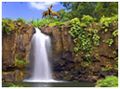
Ammirate e provate i nostri screensaver animati della natura. Rappresentano tutti i posti più belli del mondo, fra cui cascate, laghi, spiagge, foreste e molto altro ancora, tutto disponibile nella nostra galleria gratuita. Offerta speciale (50% di sconto): Acquistate Nature Illusion Screensaver a soli 10$. Cliccate qui per acquistare.
Commenti su Nature Illusion Studio Standard Edition
Please add a comment explaining the reason behind your vote.
The Good
* Straightforward and easy to use.
* Allows users to add water, snow, and rain effects.
* Effects can be custom modified to change their parameters.
* Allows users to output animated scenes as screensavers, EXE Flash files, AVI videos, or animated GIFs.
The Bad
* Lacks in diversity of animated effects - need more than just water/rain/snow effects.
* Only allows users to animate JPEG/JPG and BMP images - does not support PNG or GIF.
* Only supports AVI format for output as video; lacks support for other popular format such as FLV or MP4.
* Uses non-standard hotkey for "Undo" (Shift + Ctrl + Z instead of Ctrl + Y).
* Incites users to download another program (Nature Illusion Screensaver) without clearly mentioning in the program that it costs $19.95
* Has the EULA automatically checked for acceptance. Users must opt-out of the EULA instead of the customary opt-in.
For final verdict, recommendations, and full review please click here.

@TK: Ashraf means that only JPEG/JPG and BMP can be used as starting images. The "Build GIF" button is for exporting the image as a GIF
Smooth download/installation/activation on Vista x32. GUI is simple to navigate and program is easy to use - I produced a good-quality, realistic animated photo in about 1 minute. True, the program is way too overpriced (at $24.95) given its limited choices/effects - but for photo-editing enthusiasts like me, it's well worth downloading the program and adding it to my photo-editing arsenal tool - and it's free for today, so it's definitely worth taking advantage of while we can. Thanks, GOTD and Nufsoft.
Freeware Options:
Sqirlz Water Reflections (Water, Snow, Rain Effects) - CNET User Rating 4/5
Professor Franklin Instant Photo Effects (Frames, Objects, Textures, etc.) - CNET User Rating 4/5
Normally, I don't speak out about the non-review, but I have to say some things today. Corner-A ArtStudio is generally more versatile and sophisticated, but this isn't bad. The "water" effect actually covers a lot of things, as documented in the Help file (and presets for non-water effects are included). I used it to animate some leaves. Some ArtStudio effects can be achieved via NIS parameters, unlike what's said in the non-review. The non-review meant to say "Redo", and it's no big deal, as Shift is the standard "opposite" modifier. Normally, one isn't going to animate a PNG, you can easily convert it, and GIF is only used for animated images (nobody in their right mind uses the obsolete GIF for anything else). AVI is a container format, and NIS does allow use of other installed codecs, but you have to be aware of codec issues on other PC's, as documented. I did generate an MP4 AVI. It makes more sense to use a converter to handle the plethora of available formats, if one so chooses.
You can see some of the Professional effects in the preview, such as animated images. Navigate to your Documents\Nufsoft folder when adding animated images for preview purposes.
There are various silly bugs. A cosmetic but annoying bug in one of the dialog box types, where a label was repeated over another control, making it very hard to read. When set to open the output video after creation, it didn't.
#2, Adamus, standard scroll bars are present, as well as a Navigator in the lower-left corner, clearly visible and documented.
Actually use the program and read the Help before making comments.
The installer is today somewhat other than always. It only extracts a new installer into (default) C:/PM folder.
We have to run the new *.exe file from this folder.
We do NOT have to enter any codes, etc.
The program itself is very simple, maybe too simple.
We can select an area to engage one or more of 6 water effects on it - we can use all of it in one image.
We can also insert a global weather effect (rain or snow).
In standard version we can NOT add new objects. There is a button, but it doesn't work (there is an error message).
When using this program I have noticed one weakness. It is a moving and zooming comfort. I propose to handle a middle mouse button as an image scrolling activator. In this program we cannot simple scroll. Even keyboard arrows doesn't work.
I also propose to handle the mouse roller as a zoom tool.
This is something like in Adobe Reader or even gimp. Without it, the work is somewhat frustrating, especially when we have to work with big or zoomed image.
Zooming can be activated via keyboard shortcut, but scrolling doesn't have even that!
Summing up: simple, plug&play program for making some funny animations with water and weather effects. I personally don't like lack of image scrolling/moving control.
To do some funny animations with new objects we have to buy the pro version.
We don't have also an option for inserting videos or morphing between two or more photos. We also can not simulate moving effect like in waterfall or a river.
App gratis per iPhone »





App gratis per Android »


provato il software in questione,
poi mi so scaricato la versione PRO
devo dire un eccellente programma questo qua,
gli oggetti e le animazioni si possono posizionare a proprio piacimento, si puo regolare sia la grandezza che il punto di animazione, unica pecca se cosi vogliamo definirla per esportarlo in file avi bisogna indicare il codec altrimanti cilecca.
un consiglio per tutti,proivate con delle foto del mare ad animare le onde, ma leggermete vi assicuro che rimarrete stupiti
Save | Cancel
Software carino .....in effetti senza troppe pretese, ma ... tante funzioni ( inserimento oggetti, scritte ecc ) solo riservate alla versione Professional. Un vero peccato perchè con pochi $$ avrebbero potuto proporre la versione completa.
Speriamo nella prossima proposta della stessa Software House.
Buone vacanze ......
Save | Cancel
Grazie tante al signor mero per le indicazzioni che ha dato.
non riuscivo neanchio a trovarlo piu il programma e adesso ho capito dove andarlo a prendere.
faccio un po fatica ma ho capito come si usano filtri e mica filtri per fare le onde. pero il vento non capisco come si fa.
ho fatto muovere l'acqua del lago di como che ho una foto bellissima.
sembra quasi un filmino. a me piace poi imparero a usarlo meglio.
e proprio bello scoprire questo mondo moderno, altro che stare al bar a bere i calici e giocare a carte. qua si impara sempre qualcosina che viene poi buono per fare qualcosa di bello e non resti cosi ignorante. certo non ho la speransa di diventare un gegno però gia riesco a scrivere più veloce. si lamentano tutti dei tempi di attesa ma a me fan quasi comodo col tempo che impiego a scrivere.
un saluto atutti e al signor popof per il complimento, che fa sempre piacere riceverlo. grazie
Save | Cancel
Il file SETUP.EXE e' un autoestraente del programma di installazione. Cioe', prima ti chiede dove estrarlo (per default in C:), poi una volta estratto lanci l'eseguibile NatureIllusionStudioStandardEdition.exe e decidi tu dove metterlo (normalmente in C:\Programmi\Nufsoft).
Sembra inoltre non creare ne' collegamenti sul desktop ne' al menu' start quindi vai nella cartella di installazione e crea un collegamento al file NatureStudio.exe e mettilo sul desktop.
Software carino senza troppe pretese, non chiarissimo (ancora) come gestisca l'audio a 7.1.
Magari se il noto espertone SO TUTTO IO nella sua infinita pieta' si potesse abbassare a fornirci qualche info a riguardo, affinche' possiamo suggere tutti dall'altare della sua grande sapienza, gli saremmo riconoscenti in eterno.
Save | Cancel
Ciao! Scusate ma nn capisco dove lo installa... Cioè una volta lanciato il setup... la cartella la sceglie lui, completa l installazione ma nn trovo il programma O_o
Save | Cancel