Ogni giorno offriamo programmi GRATUITI che altrimenti dovresti comprare!
Giveaway of the day — Aplus Text to Speech 2.0.1
Aplus Text to Speech 2.0.1 era disponibile come app gratuita il 01 dicembre 2015!
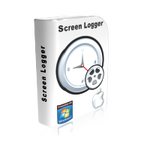
Aplus Text to Speech è un grande tool per leggere qualsiasi contenuto di testo da qualsiasi tipo di formato file utilizzando la funzione appunti. Ti basta abilitare l'opzione Monitoraggio Appunti e copiare il contenuto del testo sugli appunti, e il programma leggerà istantaneamente il testo.
Aplus Text to Speech offre un'opzione per salvare i tuoi file audio in formato WAV for poterli ascoltare in un secondo momento. Puoi facilmente riprodurre file audio convertiti su qualsiasi lettore e ascoltare il contenuto del tuo testo senza sforzarti gli occhi.
The current text is the result of machine translation. You can help us improve it.
Requisiti di Sistema:
Windows XP/ Vista/ NT/ 7/ 8.0/ 8.1/ 10; Pentium class or equivalent processor; RAM: 512 MB; Disk space: 10 MB; .Net Framework (2.0) or higher
Produttore:
Aplus Software Inc.Homepage:
http://www.aplussofts.com/aplus/texttospeech.htmlDimensione File:
5.2 MB
Prezzo:
$9.90
Programmi correlati
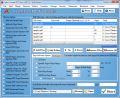
Aplus Combo PDF Tools è in grado di svolgere quasi tutte le operazioni su documento PDF: all'istante divide in diverse parti, combina diversi file PDF in uno solo, codifica PDF con passowrd, ridimensiona la dimensione o l'orientamento della pagina PDF, aggiunge il watermark, crea segnalibri, aggiunge due pagine su una pagina, estrae o rimuove pagine dal documento e crea un nuovo file.
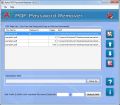
Aplus PDF Password Remover è in grado di sbloccare istantaneamente documenti PDF protetti per copiare, editare, stampare, commentare, per la compilazione di moduli, ecc. È in grado di rimuovere le password di utente e proprietario da PDF bloccati.
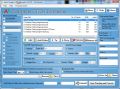
Aplus Image to PDF Converter è in grado di convertire tutti i file immagine standard in documenti PDF. Supporta la conversione di file immagine in modalità batch in Adobe Acrobat PDF con diverse opzioni di impostazioni per ottenere migliori risultati secondo le tue necessità.
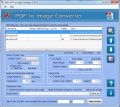
Aplus PDF to Image Converter è in grado di convertire diversi documenti PDF in vari formati immagine standard. Supporta JPG, BMP, EMF, PNG, TIF, GIF e WMF. Un'operazione in modalità batch e diverse opzioni di impostazioni ti faranno risparmiare tempo prezioso.
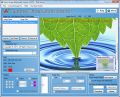
Aplus Image Watermark Creator è un pogramma molto prezioso per proteggere le tue foto mentre le condividi online. Puoi aggiungere timbri di testo e immagine sulle tue immagini e proteggerle da accessi non autorizzati.
GIVEAWAY download basket


App gratis per iPhone »





App gratis per Android »




Commenti su Aplus Text to Speech 2.0.1
Please add a comment explaining the reason behind your vote.
Installed and registered without any difficulty and on opening a simple interface was presented.
Its claim to be able to read PDF files interested me and so I tested it on one.
Using the browse button to add a file I opened a PDF file; text useful and nonsensical appeared in the window.
Tested the free and excellent text-to-speech program Balabolka on the same file and it produced an infinitely better result. It can use many more voices than today's download, including the old L&H voices. It is available at the following link:-
http://www.cross-plus-a.com/balabolka.htm
The only advantage I can see regarding today's download is that compared with Balabolka it takes up much less disk space. Uninstalled.
Save | Cancel
I agree with you. Balabolka can read more formats including pdf and epub files. More than these, this app is free and is available as portable as well.
Save | Cancel
Quote [It can read any text content from any file format including PDF, MSWord, MSExcel, Web HTML and RTF files. ]
UnQuote
The claim of reading Excel, Web HTML and PDF files is FALSE.
It will only display the following when you browse:
Text files
RTF files
Works 6 and 7
Windows Write
WordPerfect document
You can force Aplus to display a PDF file but only gibberish appears.
Balabolka Text To Speech is portable freeware with a much more refined user interface and a much wider range of controls.
As the software speaks, the read text changes colour, so you can visually follow where the speaking voice is at within the document; at any point of time.
Balabolka is so much better than Aplus Text to Speech.
On a 10 point scale, with 0 being the worst and 10 being the best.
I would put Aplus at 2 and Balabolka at 8.
Balabolka can open the following formats and read the text within:
Text files
Balabolka Text Document
Mobipocket/Kindle eBook
Compiled HTML Help files
DjVu documents
Word documents
Electronic Publication
FB2 files
HTML files
Microsoft Reader files
Open Document Text
PDF files
RAR archives
RTF files
ZIP archives
Save | Cancel
I'm a little confused by some of the comments saying things like "It will only display the following when you browse: ..." and " ... You can force Aplus to display a PDF file but only gibberish appears..."
But, the product description near the top of the page clearly states " Just enable Clipboard Monitoring option and copy text content to clipboard, and the software will instantly read the text."
So did anyone who's criticizing this app actually try copying desired text to the Clipboard to see if it reads the text as advertised?
Save | Cancel