Ogni giorno offriamo programmi GRATUITI che altrimenti dovresti comprare!

Giveaway of the day — Advanced Recent Access 3.0
Advanced Recent Access 3.0 era disponibile come app gratuita il 25 ottobre 2015!
Advanced Recent Access è stato progettato per visualizzare e aprire le risorse utilizzate di recente (file e directory). Puoi visualizzare maggiori proprietà delle risorse recenti, come percorso, dimensione, tipo, data modifica e data creazione.
Caratteristiche principali:
- Salva automaticamente gli orari di accesso;
- Cancella le risorse recenti inesistenti e li divide in base agli orari di accesso in ordine discendente per default;
- Riesce a filtrare le risorse recenti in base al tipo, come le directory, i documenti, le immagini, i file audio, video e altro;
- Divide e visualizza il conteggio delle risorse recenti; aggiorna automaticamente gli elenchi delle risorse recenti;
- Ricorda automaticamente l'ordine e la larghezza delle colonne, la dimensione e la posizione della finestra principale;
- Nasconde le colonne che non vuoi vedere.
Nota bene: Il programma comprende 1 anno di aggiornamenti gratuiti. Puoi usufruire dello sconto del 50% per la Licenza Singola (1 PC) e la Licenza Personale (3 PC) con Aggiornamenti Illimitati solo per oggi!
The current text is the result of machine translation. You can help us improve it.
Requisiti di Sistema:
Windows XP/ 2003/ Vista/ 7/ 8/ 8.1/ 10 (x32/x64); .NET 2.0 or later.
Produttore:
TriSun Software LimitedHomepage:
http://www.trisunsoft.com/advanced-recent-access/Dimensione File:
5.2 MB
Prezzo:
$19.99
Programmi correlati
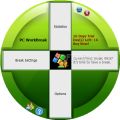
Il programma ti ricorda di ridurre il tuo rischio lesioni indotte da Stress Fisici Ripetuti. Ti ricorda di prendere un pausa per vari motivi, come una piccola pausa, per fare stretching, esercizi per gli occhi e camminare, in base all'uso del vostro PC. È possibile configurare tutte le impostazioni.

Trova rapidamente tutti i file duplicati sui tuoi drive in base ai contenuti del file. Puoi rimuovere file indesiderati per recuperare spazio sul tuo disco, ridurre i costi di gestione ed evitare confusione non necessaria.

Ti permette di visualizzare tutte le dimensioni dei drive/directory/file in un unico albero per permetterti di pulire manualmente il disco. Il programma supporta le operazioni sulle risrose in modalità batch.
Un calcolatore temporale di date con funzioni complete: puoi ottenere la data, giorni tra date ed altro.

Un cronometro con conto alla rovescia per contare anni, mesi, settimane, giorni, ore, minuti e secondi dei tuoi eventi importanti, come nascita, matrimonio, anniversario e altro, in base alla data e orario corrente.
GIVEAWAY download basket




App gratis per iPhone »





App gratis per Android »




Commenti su Advanced Recent Access 3.0
Please add a comment explaining the reason behind your vote.
Did not fare well on a short test. Don´t like that this program does not remember its filter settings and that the list of recently opened programs were not sorted on accessed time (still too much searching in the file list). "Advanced Recent Access is designed to see and open recently used resources." There is a problem with newly created files: I created a textfile on a usb stick, saved it, it did not appear (only the second time i opened it and changed the content). Also don´t like the trashcan option: deleting a recent file that is located on usb drives will be permanently deleted: it warns that the file will be moved to the recycle bin, but it won´t of course. Needs lots of improvements. Uninstalled.
Save | Cancel
Installed and registered this $5 program without any difficulty, opens up to a usable interface.
The tick boxes along the top of the window are very slow to respond to mouse clicks, about two seconds, a very poor piece of programming.
One thing I couldn't find on the columns list was the last Accessed Time which its name implies should be there.
The pricing of the program was quite ridiculous, in fact their pricing in general is ridiculous. Their duplicate file finder is $49, when I wrote my own it took a whole afternoon to do it.
I'm sure there is much better freeware out there, most definitely NOT a keeper.
Save | Cancel
Sadly disappointed to find that the software installation location is C:\Users\User\AppData\Roaming\TSSI\Advanced Recent Access\Advanced Recent Access.exe folder. There is an element of deception about this installation as it gives the impression that installation will be within the Program Files folder. It even offers the oportunity to install elsewhere within that folder but this is equally deceptive as it will STILL install outwith the Program Files folder. The Program Folder locations are merely "redirects" and nothing apart from the uninstall function is installed there. There is no intimation anywhere that that this is what installation will entail. Developers should give a genuine option to install to the Programs folder.
Why, oh why, do developers not do this? I am now finding some software programs will not work properly now because, expecting software to adhere to the longstanding convention that it be installed in the Program Files folder NOT elsewhere, they are programmed to look there and obviously cannot find it.
Does anyone know of anyway of forcing the software to install to the Program Files folder?
Due to the above the software will now be uninstalled
Save | Cancel
(I love sockpuppets)
Installed this and just can't find a real justification for it. Twitchy, not at all clear in instructions and (as mentioned) some are flat misleading.
There are too many good variations on this theme... close, but no wireless mouse. Needs much more work.
Uninstalled WIN7Pro, WIN 8.1 and WIN10.
Save | Cancel
The text above refers to refreshing recent resources lists. This kind of presupposes that the listing can be saved but I cannot find any way to do this within the software. Can the lists be saved or does the text just relate to filtered
displays? Perhaps the developer can comment?
Save | Cancel